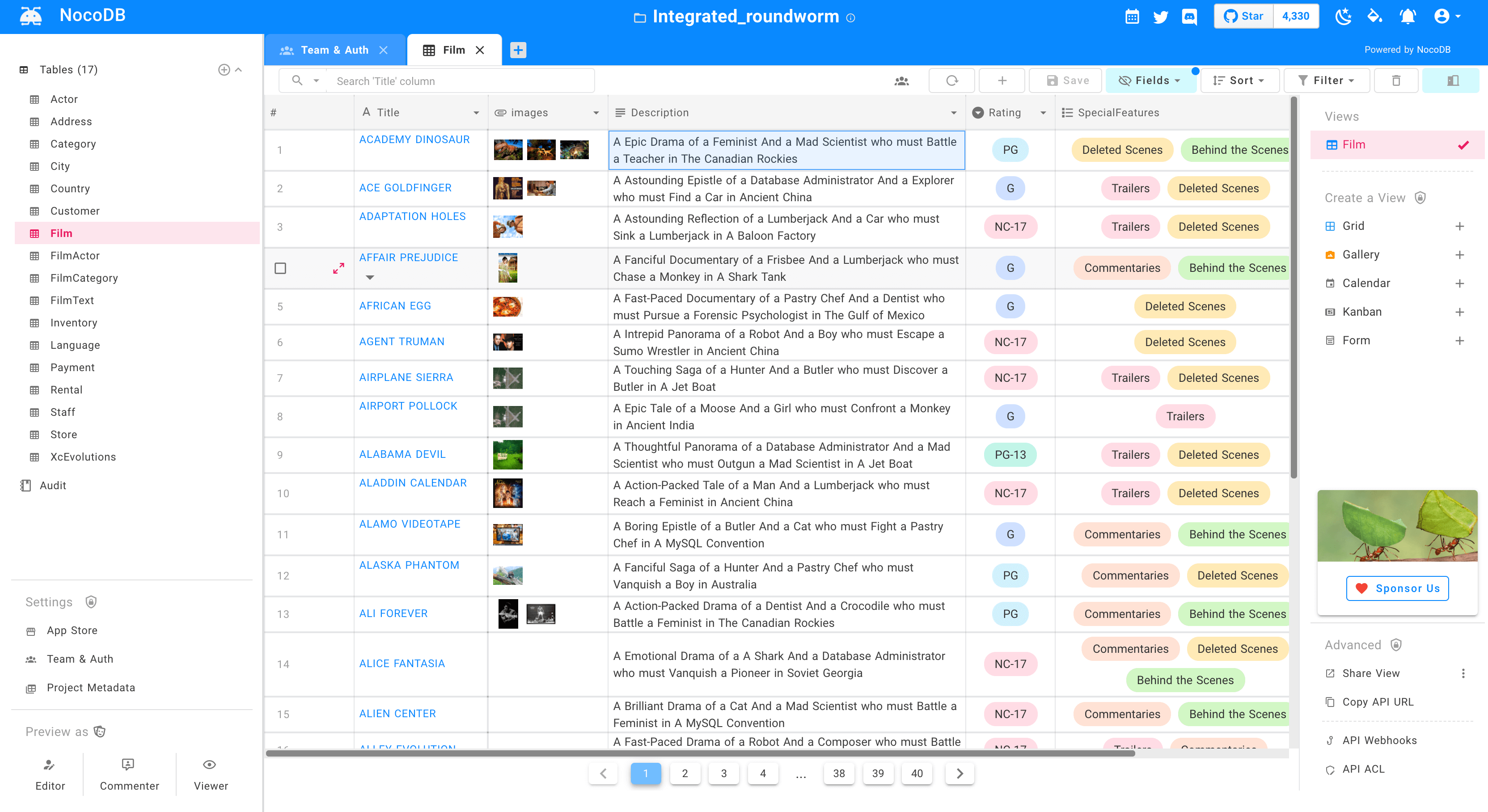
Turns any MySQL, PostgreSQL, SQL Server, SQLite & MariaDB into a smart-spreadsheet.
Website • Discord • Community • Twitter • Reddit • Documentation

 ](scripts/markdown/readme/languages/chinese.md)
[
](scripts/markdown/readme/languages/chinese.md)
[ ](scripts/markdown/readme/languages/french.md)
[
](scripts/markdown/readme/languages/french.md)
[ ](scripts/markdown/readme/languages/german.md)
[
](scripts/markdown/readme/languages/german.md)
[ ](scripts/markdown/readme/languages/spanish.md)
[
](scripts/markdown/readme/languages/spanish.md)
[ ](scripts/markdown/readme/languages/portuguese.md)
[
](scripts/markdown/readme/languages/portuguese.md)
[ ](scripts/markdown/readme/languages/italian.md)
[
](scripts/markdown/readme/languages/italian.md)
[ ](scripts/markdown/readme/languages/japanese.md)
[
](scripts/markdown/readme/languages/japanese.md)
[ ](scripts/markdown/readme/languages/korean.md)
[
](scripts/markdown/readme/languages/korean.md)
[ ](scripts/markdown/readme/languages/russian.md)
 # Join Our Team

 [](https://github.com/nocodb/nocodb/stargazers)
# Quick try
## 1-Click Deploy to Heroku
Before doing so, make sure you have a Heroku account. By default, an add-on Heroku Postgres will be used as meta database. You can see the connection string defined in `DATABASE_URL` by navigating to Heroku App Settings and selecting Config Vars.
[](https://github.com/nocodb/nocodb/stargazers)
# Quick try
## 1-Click Deploy to Heroku
Before doing so, make sure you have a Heroku account. By default, an add-on Heroku Postgres will be used as meta database. You can see the connection string defined in `DATABASE_URL` by navigating to Heroku App Settings and selecting Config Vars.
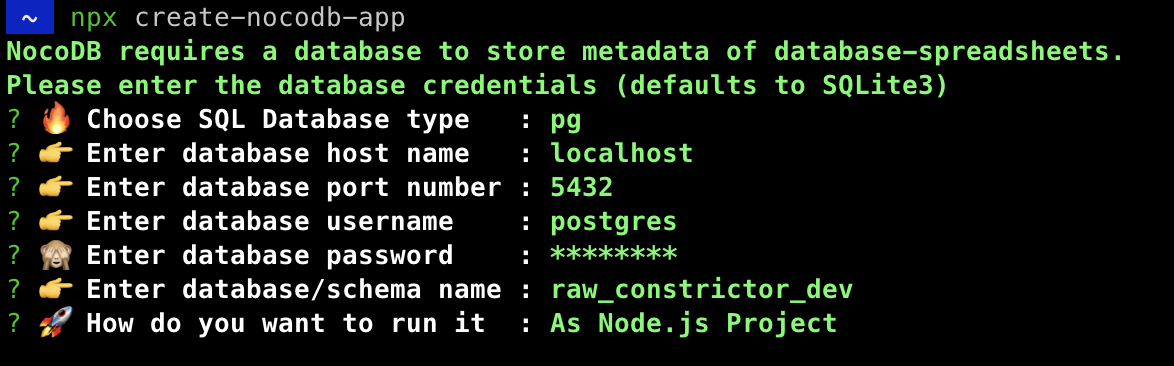 ## Node Application
We provide a simple NodeJS Application for getting started.
```bash
git clone https://github.com/nocodb/nocodb-seed
cd nocodb-seed
npm install
npm start
```
## Docker
```bash
# for SQLite
docker run -d --name nocodb \
-v "$(pwd)"/nocodb:/usr/app/data/ \
-p 8080:8080 \
nocodb/nocodb:latest
# for MySQL
docker run -d --name nocodb-mysql \
-v "$(pwd)"/nocodb:/usr/app/data/ \
-p 8080:8080 \
-e NC_DB="mysql2://host.docker.internal:3306?u=root&p=password&d=d1" \
-e NC_AUTH_JWT_SECRET="569a1821-0a93-45e8-87ab-eb857f20a010" \
nocodb/nocodb:latest
# for PostgreSQL
docker run -d --name nocodb-postgres \
-v "$(pwd)"/nocodb:/usr/app/data/ \
-p 8080:8080 \
-e NC_DB="pg://host.docker.internal:5432?u=root&p=password&d=d1" \
-e NC_AUTH_JWT_SECRET="569a1821-0a93-45e8-87ab-eb857f20a010" \
nocodb/nocodb:latest
# for MSSQL
docker run -d --name nocodb-mssql \
-v "$(pwd)"/nocodb:/usr/app/data/ \
-p 8080:8080 \
-e NC_DB="mssql://host.docker.internal:1433?u=root&p=password&d=d1" \
-e NC_AUTH_JWT_SECRET="569a1821-0a93-45e8-87ab-eb857f20a010" \
nocodb/nocodb:latest
```
> To persist data in docker you can mount volume at `/usr/app/data/` since 0.10.6. Otherwise your data will be lost after recreating the container.
> If you plan to input some special characters, you may need to change the character set and collation yourself when creating the database. Please check out the examples for [MySQL Docker](https://github.com/nocodb/nocodb/issues/1340#issuecomment-1049481043).
## Docker Compose
We provide different docker-compose.yml files under [this directory](https://github.com/nocodb/nocodb/tree/master/docker-compose). Here are some examples.
```bash
git clone https://github.com/nocodb/nocodb
# for MySQL
cd nocodb/docker-compose/mysql
# for PostgreSQL
cd nocodb/docker-compose/pg
# for MSSQL
cd nocodb/docker-compose/mssql
docker-compose up -d
```
> To persist data in docker, you can mount volume at `/usr/app/data/` since 0.10.6. Otherwise your data will be lost after recreating the container.
> If you plan to input some special characters, you may need to change the character set and collation yourself when creating the database. Please check out the examples for [MySQL Docker Compose](https://github.com/nocodb/nocodb/issues/1313#issuecomment-1046625974).
# GUI
Access Dashboard using : [http://localhost:8080/dashboard](http://localhost:8080/dashboard)
# Screenshots

## Node Application
We provide a simple NodeJS Application for getting started.
```bash
git clone https://github.com/nocodb/nocodb-seed
cd nocodb-seed
npm install
npm start
```
## Docker
```bash
# for SQLite
docker run -d --name nocodb \
-v "$(pwd)"/nocodb:/usr/app/data/ \
-p 8080:8080 \
nocodb/nocodb:latest
# for MySQL
docker run -d --name nocodb-mysql \
-v "$(pwd)"/nocodb:/usr/app/data/ \
-p 8080:8080 \
-e NC_DB="mysql2://host.docker.internal:3306?u=root&p=password&d=d1" \
-e NC_AUTH_JWT_SECRET="569a1821-0a93-45e8-87ab-eb857f20a010" \
nocodb/nocodb:latest
# for PostgreSQL
docker run -d --name nocodb-postgres \
-v "$(pwd)"/nocodb:/usr/app/data/ \
-p 8080:8080 \
-e NC_DB="pg://host.docker.internal:5432?u=root&p=password&d=d1" \
-e NC_AUTH_JWT_SECRET="569a1821-0a93-45e8-87ab-eb857f20a010" \
nocodb/nocodb:latest
# for MSSQL
docker run -d --name nocodb-mssql \
-v "$(pwd)"/nocodb:/usr/app/data/ \
-p 8080:8080 \
-e NC_DB="mssql://host.docker.internal:1433?u=root&p=password&d=d1" \
-e NC_AUTH_JWT_SECRET="569a1821-0a93-45e8-87ab-eb857f20a010" \
nocodb/nocodb:latest
```
> To persist data in docker you can mount volume at `/usr/app/data/` since 0.10.6. Otherwise your data will be lost after recreating the container.
> If you plan to input some special characters, you may need to change the character set and collation yourself when creating the database. Please check out the examples for [MySQL Docker](https://github.com/nocodb/nocodb/issues/1340#issuecomment-1049481043).
## Docker Compose
We provide different docker-compose.yml files under [this directory](https://github.com/nocodb/nocodb/tree/master/docker-compose). Here are some examples.
```bash
git clone https://github.com/nocodb/nocodb
# for MySQL
cd nocodb/docker-compose/mysql
# for PostgreSQL
cd nocodb/docker-compose/pg
# for MSSQL
cd nocodb/docker-compose/mssql
docker-compose up -d
```
> To persist data in docker, you can mount volume at `/usr/app/data/` since 0.10.6. Otherwise your data will be lost after recreating the container.
> If you plan to input some special characters, you may need to change the character set and collation yourself when creating the database. Please check out the examples for [MySQL Docker Compose](https://github.com/nocodb/nocodb/issues/1313#issuecomment-1046625974).
# GUI
Access Dashboard using : [http://localhost:8080/dashboard](http://localhost:8080/dashboard)
# Screenshots


