 33ee9bfa62
* feat: Improved ui (#6156)

* refactor: revert

Signed-off-by: Pranav C <pranavxc@gmail.com>

feat: shared base

Signed-off-by: Pranav C <pranavxc@gmail.com>

fix: remove duplicate import statement

Signed-off-by: Pranav C <pranavxc@gmail.com>

fix: disable starred & license menu

Signed-off-by: Raju Udava <86527202+dstala@users.noreply.github.com>

test: fix airtable wait issue

Signed-off-by: Raju Udava <86527202+dstala@users.noreply.github.com>

test: enable mysql in ci

Signed-off-by: Raju Udava <86527202+dstala@users.noreply.github.com>

test: fix checkbox order for sqlite

Signed-off-by: Raju Udava <86527202+dstala@users.noreply.github.com>

test: disable quick tests

Signed-off-by: Raju Udava <86527202+dstala@users.noreply.github.com>

test: fix dbType env variable for CI

Signed-off-by: Raju Udava <86527202+dstala@users.noreply.github.com>

test: workspace API access error fix

Signed-off-by: Raju Udava <86527202+dstala@users.noreply.github.com>

test: enable SQLite CI CD

Signed-off-by: Raju Udava <86527202+dstala@users.noreply.github.com>

test: use DB_TYPE env variable

Signed-off-by: Raju Udava <86527202+dstala@users.noreply.github.com>

test: enable SQLite UT

Signed-off-by: Raju Udava <86527202+dstala@users.noreply.github.com>

test: isHub cleanup

Signed-off-by: Raju Udava <86527202+dstala@users.noreply.github.com>

test: add check for EE Timezone spec

Signed-off-by: Raju Udava <86527202+dstala@users.noreply.github.com>

chore: cleanup

Signed-off-by: Pranav C <pranavxc@gmail.com>

chore: cleanup

Signed-off-by: Pranav C <pranavxc@gmail.com>

test: EE check fix

Signed-off-by: Raju Udava <86527202+dstala@users.noreply.github.com>

chore: test correction

Signed-off-by: Pranav C <pranavxc@gmail.com>

chore: sync latest changes

Signed-off-by: Pranav C <pranavxc@gmail.com>

test: set EE=false

Signed-off-by: Raju Udava <86527202+dstala@users.noreply.github.com>

test: set NC Edition to community in workflow file

Signed-off-by: Raju Udava <86527202+dstala@users.noreply.github.com>

chore: update sdk build command

Signed-off-by: Pranav C <pranavxc@gmail.com>

refactor: i18n and other changes

Signed-off-by: Pranav C <pranavxc@gmail.com>

feat: new ui

Signed-off-by: Pranav C <pranavxc@gmail.com>

* chore: sync tests

Signed-off-by: Pranav C <pranavxc@gmail.com>

* chore: lint

Signed-off-by: Pranav C <pranavxc@gmail.com>

* fix: shared view/base related bugs

Signed-off-by: Pranav C <pranavxc@gmail.com>

* test: checkbox verification sort order fix

Signed-off-by: Raju Udava <86527202+dstala@users.noreply.github.com>

* test: fix sqlite reset

Signed-off-by: Raju Udava <86527202+dstala@users.noreply.github.com>

* test: enable selfhosted runners

Signed-off-by: Raju Udava <86527202+dstala@users.noreply.github.com>

* docs: table ops (draft)

Signed-off-by: Raju Udava <86527202+dstala@users.noreply.github.com>

* Docs: screenshots for table-operations.md

* refactor: introduce missing buttons

Signed-off-by: Pranav C <pranavxc@gmail.com>

* fix: get all fields

Signed-off-by: Pranav C <pranavxc@gmail.com>

* test: UT fix- new data API response

Signed-off-by: Raju Udava <86527202+dstala@users.noreply.github.com>

* test: EE is false

Signed-off-by: Raju Udava <86527202+dstala@users.noreply.github.com>

* test: webhook lookup as string in CE

Signed-off-by: Raju Udava <86527202+dstala@users.noreply.github.com>

* fix: include created_at and updated_at

Signed-off-by: Pranav C <pranavxc@gmail.com>

* test: fix UT newDataAPI response for PG

Signed-off-by: Raju Udava <86527202+dstala@users.noreply.github.com>

* fix: separate api for webhook related plugins

Signed-off-by: Pranav C <pranavxc@gmail.com>

* test: msyql filter corrections

Signed-off-by: Raju Udava <86527202+dstala@users.noreply.github.com>

* test: mysql group by test corrections

Signed-off-by: Raju Udava <86527202+dstala@users.noreply.github.com>

* test: fix datatype for rating field in groupby spec for pg

Signed-off-by: Raju Udava <86527202+dstala@users.noreply.github.com>

* test: kanban datatype correction

Signed-off-by: Raju Udava <86527202+dstala@users.noreply.github.com>

* test: column edit for mysql- rating field

Signed-off-by: Raju Udava <86527202+dstala@users.noreply.github.com>

* test: misc fixes

Signed-off-by: Raju Udava <86527202+dstala@users.noreply.github.com>

* test: enable 4 workers

Signed-off-by: Raju Udava <86527202+dstala@users.noreply.github.com>

* test: enable 2 workers per shard only

Signed-off-by: Raju Udava <86527202+dstala@users.noreply.github.com>

* docs: table CRUD

* Rename table-operations.md to table-crud.md

* Create column-crud.md

* docs: row CRUD

* Rename row.md to row-crud.md

* docs: project crud

* docs: toolbar (skeleton)

* refactor: single page UI and bug fixes

Signed-off-by: Pranav C <pranavxc@gmail.com>

* chore: sync tests playwright

Signed-off-by: Pranav C <pranavxc@gmail.com>

* chore: add missing dependency

Signed-off-by: Pranav C <pranavxc@gmail.com>

* feat: single page ui, test corrections

Signed-off-by: Pranav C <pranavxc@gmail.com>

* chore: tests

Signed-off-by: Pranav C <pranavxc@gmail.com>

* test: project rename test correction

Signed-off-by: Pranav C <pranavxc@gmail.com>

* chore: remove only

Signed-off-by: Pranav C <pranavxc@gmail.com>

* test: remove wrong import statement

Signed-off-by: Pranav C <pranavxc@gmail.com>

* fix: delete option not visible in project context menu

Signed-off-by: Raju Udava <86527202+dstala@users.noreply.github.com>

* test: move ws access within isEE()

Signed-off-by: Raju Udava <86527202+dstala@users.noreply.github.com>

* test: fix groupby

* test: groupby fix

Signed-off-by: Raju Udava <86527202+dstala@users.noreply.github.com>

* docs: signup & landing page

* docs: project crud

* docs: project-crud misc

* docs: toolbar fields

* docs: toolbar / filters

* docs: toolbar / group by

* docs: toolbar / sort

* docs: toolbar / row height

* docs: filters additional options

* docs: file re-order

Signed-off-by: Raju Udava <86527202+dstala@users.noreply.github.com>

* docs: add links to column types

* docs: code snippets

* docs: links

* docs: lookup

* docs: rollup

* docs: formula

* docs: primary key

* docs: display value

* docs: development setup

* docs: swagger

* fix(nc-gui): encodeURIComponent for row id

- closes: #6202

* docs: language

* docs: expanded record

* docs: import airtable

* docs: airtable

* docs: webhook

* docs: revert file rename

Signed-off-by: Raju Udava <86527202+dstala@users.noreply.github.com>

* docs: account settings

* docs: audit

* docs: meta management

* docs: project settings

* docs: shared base

* docs: shared view

* docs: meta sync

* docs: team-auth

* docs: views

* docs: fix URL

* docs: URL corrections

* fix:  shared base, view related bugs

Signed-off-by: Pranav C <pranavxc@gmail.com>

* test: EE check for WSaccess

Signed-off-by: Raju Udava <86527202+dstala@users.noreply.github.com>

* test: exclude EE tests

Signed-off-by: Raju Udava <86527202+dstala@users.noreply.github.com>

* fix: missing project delete

closes #6215

Signed-off-by: Pranav C <pranavxc@gmail.com>

* fix: merge existing project meta  if found

closes #6216

Signed-off-by: Pranav C <pranavxc@gmail.com>

* fix: merge existing project meta  if found

closes #6216

Signed-off-by: Pranav C <pranavxc@gmail.com>

---------

Signed-off-by: Pranav C <pranavxc@gmail.com>
Signed-off-by: Raju Udava <86527202+dstala@users.noreply.github.com>
Co-authored-by: Raju Udava <86527202+dstala@users.noreply.github.com>
Co-authored-by: DarkPhoenix2704 <anbarasun123@gmail.com>
Co-authored-by: Wing-Kam Wong <wingkwong.code@gmail.com>

* refactor: docs and other bug fixes

Signed-off-by: Pranav C <pranavxc@gmail.com>

* feat: populate default project on super admin signup

Signed-off-by: Pranav C <pranavxc@gmail.com>

* fix: include created project details in signup response if avail, missing Dockerfile

Signed-off-by: Pranav C <pranavxc@gmail.com>

* chore: use custom function for resolving ts path aliases

Signed-off-by: Pranav C <pranavxc@gmail.com>

* chore: add missing generate script

Signed-off-by: Pranav C <pranavxc@gmail.com>

* chore: webpack build correction - ts path resolve

Signed-off-by: Pranav C <pranavxc@gmail.com>

---------

Signed-off-by: Pranav C <pranavxc@gmail.com>
Signed-off-by: Raju Udava <86527202+dstala@users.noreply.github.com>
Co-authored-by: mertmit <mertmit99@gmail.com>
Co-authored-by: Raju Udava <86527202+dstala@users.noreply.github.com>
Co-authored-by: DarkPhoenix2704 <anbarasun123@gmail.com>
Co-authored-by: Wing-Kam Wong <wingkwong.code@gmail.com>
12 KiB
title, description
| title | description |
|---|---|
| Installation | Simple installation - takes about three minutes! |
import Tabs from '@theme/Tabs'; import TabItem from '@theme/TabItem';
Simple installation - takes about three minutes!
Prerequisites
Quick try
Docker
If you are a Docker user, you may try this way!
function helloWorld() {
  console.log('Hello, world!');
}
docker run -d --name nocodb \
-v "$(pwd)"/nocodb:/usr/app/data/ \
-p 8080:8080 \
nocodb/nocodb:latest
docker run -d --name nocodb-mysql \
-v "$(pwd)"/nocodb:/usr/app/data/ \
-p 8080:8080 \
-e NC_DB="mysql2://host.docker.internal:3306?u=root&p=password&d=d1" \
-e NC_AUTH_JWT_SECRET="569a1821-0a93-45e8-87ab-eb857f20a010" \
nocodb/nocodb:latest
docker run -d --name nocodb-postgres \
-v "$(pwd)"/nocodb:/usr/app/data/ \
-p 8080:8080 \
-e NC_DB="pg://host.docker.internal:5432?u=root&p=password&d=d1" \
-e NC_AUTH_JWT_SECRET="569a1821-0a93-45e8-87ab-eb857f20a010" \
nocodb/nocodb:latest
docker run -d --name nocodb-mssql \
-v "$(pwd)"/nocodb:/usr/app/data/ \
-p 8080:8080 \
-e NC_DB="mssql://host.docker.internal:1433?u=root&p=password&d=d1" \
-e NC_AUTH_JWT_SECRET="569a1821-0a93-45e8-87ab-eb857f20a010" \
nocodb/nocodb:latest
:::tip
To persist data in docker you can mount volume at /usr/app/data/ since 0.10.6. In older version mount at /usr/src/app. Otherwise your data will be lost after recreating the container.
:::
:::tip
If you plan to input some special characters, you may need to change the character set and collation yourself when creating the database. Please check out the examples for MySQL Docker.
:::
Docker Compose
We provide different docker-compose.yml files under this directory. Here are some examples.
function helloWorld() {
  console.log('Hello, world!');
}
git clone https://github.com/nocodb/nocodb
cd nocodb/docker-compose/mysql
docker-compose up -d
git clone https://github.com/nocodb/nocodb
cd nocodb/docker-compose/pg
docker-compose up -d
git clone https://github.com/nocodb/nocodb
cd nocodb/docker-compose/mssql
docker-compose up -d
:::tip
To persist data in docker you can mount volume at /usr/app/data/ since 0.10.6. In older version mount at /usr/src/app.
:::
:::tip
If you plan to input some special characters, you may need to change the character set and collation yourself when creating the database. Please check out the examples for MySQL Docker Compose.
:::
NPX
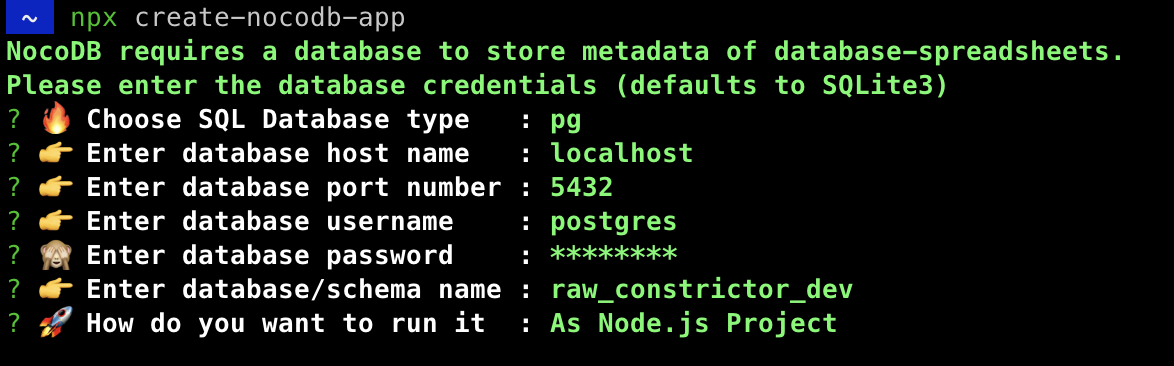
You can run below command if you need an interactive configuration.
npx create-nocodb-app
Preview:
Homebrew
brew tap nocodb/nocodb
brew install nocodb
nocodb
Executables
You can download executables directly and run without any extra dependancy. Use the right command based on your platform.
MacOS (x64)
curl http://get.nocodb.com/macos-x64 -o nocodb -L \
  && chmod +x nocodb \
  && ./nocodb
MacOS (arm64)
curl http://get.nocodb.com/macos-arm64 -o nocodb -L \
  && chmod +x nocodb \
  && ./nocodb
Linux (x64)
curl http://get.nocodb.com/linux-x64 -o nocodb -L \
  && chmod +x nocodb \
  && ./nocodb
Linux (arm64)
curl http://get.nocodb.com/linux-arm64 -o nocodb -L \
  && chmod +x nocodb \
  && ./nocodb
Windows (x64)
iwr http://get.nocodb.com/win-x64.exe
.\Noco-win-x64.exe
Windows (arm64)
iwr http://get.nocodb.com/win-arm64.exe
.\Noco-win-arm64.exe
Node Application
We provide a simple NodeJS Application for getting started.
git clone https://github.com/nocodb/nocodb-seed
cd nocodb-seed
npm install
npm start
AWS ECS (Fargate)
Click to Expand
Create ECS Cluster
aws ecs create-cluster \
--cluster-name <YOUR_ECS_CLUSTER>
Create Log group
aws logs create-log-group \
--log-group-name /ecs/<YOUR_APP_NAME>/<YOUR_CONTAINER_NAME>
Create ECS Task Definiton
Every time you create it, it will add a new version. If it is not existing, the version will be 1.
aws ecs register-task-definition \
--cli-input-json "file://./<YOUR_TASK_DEF_NAME>.json"
:::note
This json file defines the container specification. You can define secrets such as NC_DB and environment variables here.
:::
Here's the sample Task Definition
{
  "family": "nocodb-sample-task-def",
  "networkMode": "awsvpc",
  "containerDefinitions": [{
    "name": "<YOUR_CONTAINER_NAME>",
    "image": "nocodb/nocodb:latest",
    "essential": true,
    "logConfiguration": {
      "logDriver": "awslogs",
      "options": {
        "awslogs-group": "/ecs/<YOUR_APP_NAME>/<YOUR_CONTAINER_NAME>",
        "awslogs-region": "<YOUR_AWS_REGION>",
        "awslogs-stream-prefix": "ecs"
      }
    },
    "secrets": [{
      "name": "<YOUR_SECRETS_NAME>",
      "valueFrom": "<YOUR_SECRET_ARN>"
    }],
    "environment": [{
      "name": "<YOUR_ENV_VARIABLE_NAME>",
      "value": "<YOUR_ENV_VARIABLE_VALUE>"
    }],
    "portMappings": [{
      "containerPort": 8080,
      "hostPort": 8080,
      "protocol": "tcp"
    }]
  }],
  "requiresCompatibilities": [
    "FARGATE"
  ],
  "cpu": "256",
  "memory": "512",
  "executionRoleArn": "<YOUR_ECS_EXECUTION_ROLE_ARN>",
  "taskRoleArn": "<YOUR_ECS_TASK_ROLE_ARN>"
}
Create ECS Service
aws ecs create-service \
--cluster <YOUR_ECS_CLUSTER> \
--service-name  <YOUR_SERVICE_NAME> \
--task-definition <YOUR_TASK_DEF>:<YOUR_TASK_DEF_VERSION> \
--desired-count <DESIRED_COUNT> \
--launch-type "FARGATE" \
--platform-version <VERSION> \
--health-check-grace-period-seconds <GRACE_PERIOD_IN_SECOND> \
--network-configuration "awsvpcConfiguration={subnets=["<YOUR_SUBSETS>"], securityGroups=["<YOUR_SECURITY_GROUPS>"], assignPublicIp=ENABLED}" \
--load-balancer targetGroupArn=<TARGET_GROUP_ARN>,containerName=<CONTAINER_NAME>,containerPort=<YOUR_CONTAINER_PORT>
:::note
If your service fails to start, you may check the logs in ECS console or in Cloudwatch. Generally it fails due to the connection between ECS container and NC_DB. Make sure the security groups have the correct inbound and outbound rules.
:::
GCP (Cloud Run)
Click to Expand
Pull NocoDB Image on Cloud Shell
Since Cloud Run only supports images from Google Container Registry (GCR) or Artifact Registry, we need to pull NocoDB image, tag it and push it in GCP using Cloud Shell. Here are some sample commands which you can execute in Cloud Shell.
# pull latest NocoDB image
docker pull nocodb/nocodb:latest

# tag the image
docker tag nocodb/nocodb:latest gcr.io/<MY_PROJECT_ID>/nocodb/nocodb:latest

# push the image to GCR
docker push gcr.io/<MY_PROJECT_ID>/nocodb/nocodb:latest
Deploy NocoDB on Cloud Run
gcloud run deploy --image=gcr.io/<MY_PROJECT_ID>/nocodb/nocodb:latest \
                  --region=us-central1 \
                  --allow-unauthenticated \
                  --platform=managed
DigitalOcean (App)
Click to Expand
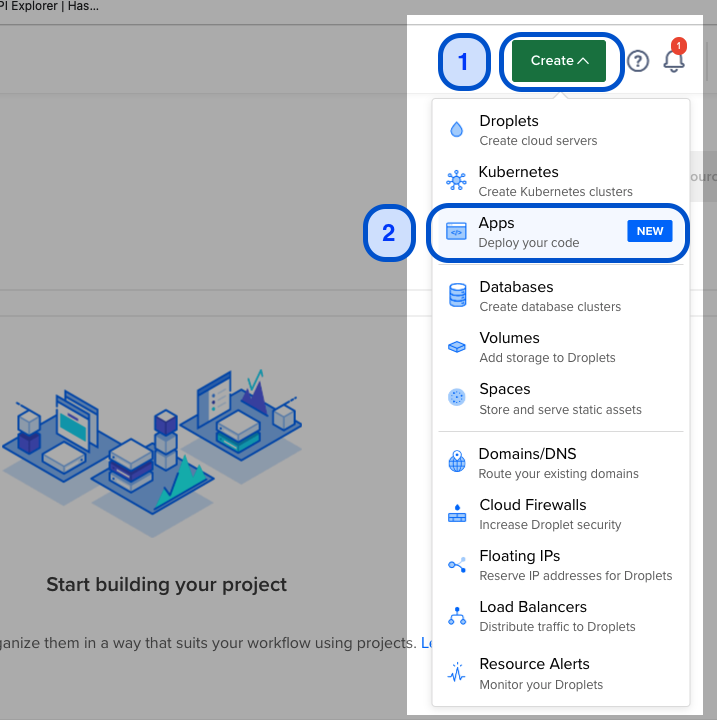
Create Apps
On Home page, Click on Create icon & Select Apps (Deploy your code).
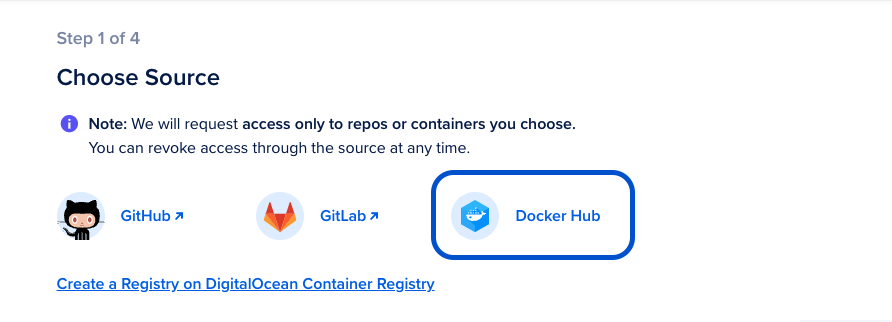
Choose Source: Docker Hub
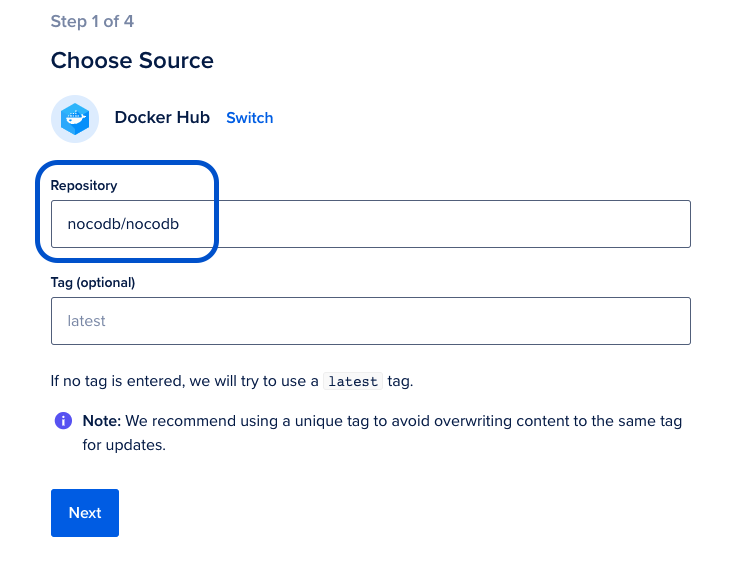
Choose Source: Repository
Configure Source Repository as nocodb/nocodb. Optionally you can pick release tag if you are interested in specific NocoDB version.
[Optional] Additional Configurations
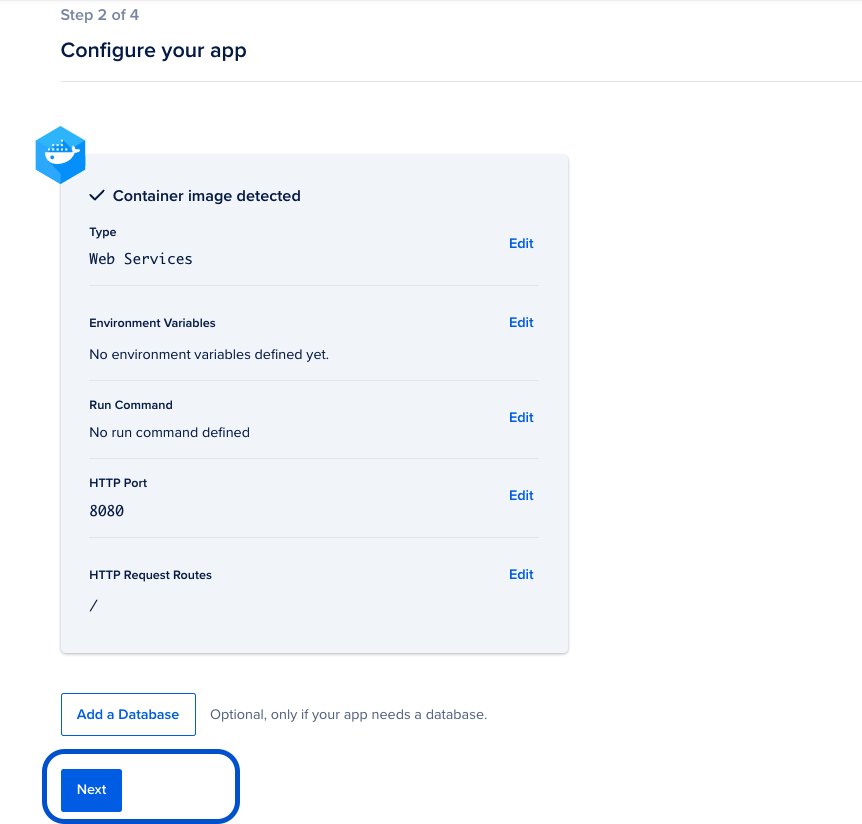
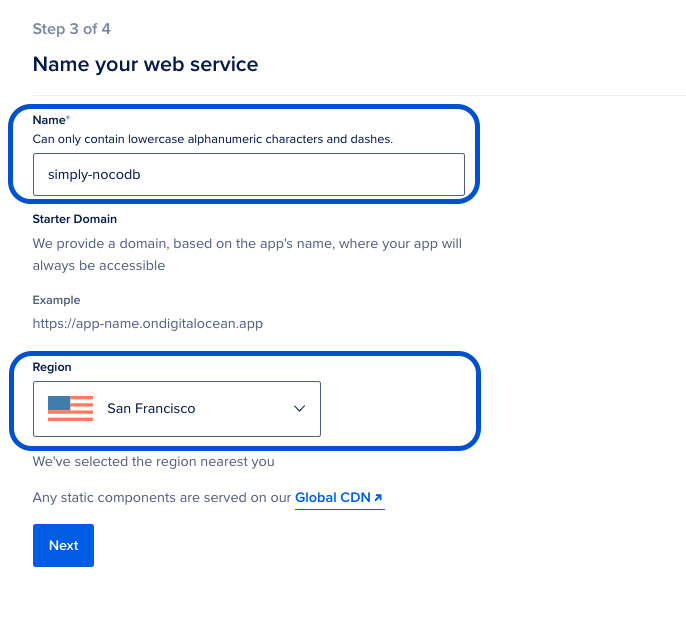
Name your web service
Pick a name for your NocoDB application. This name will become part of URL subsequently
Pick nearest Region for cloud hosting
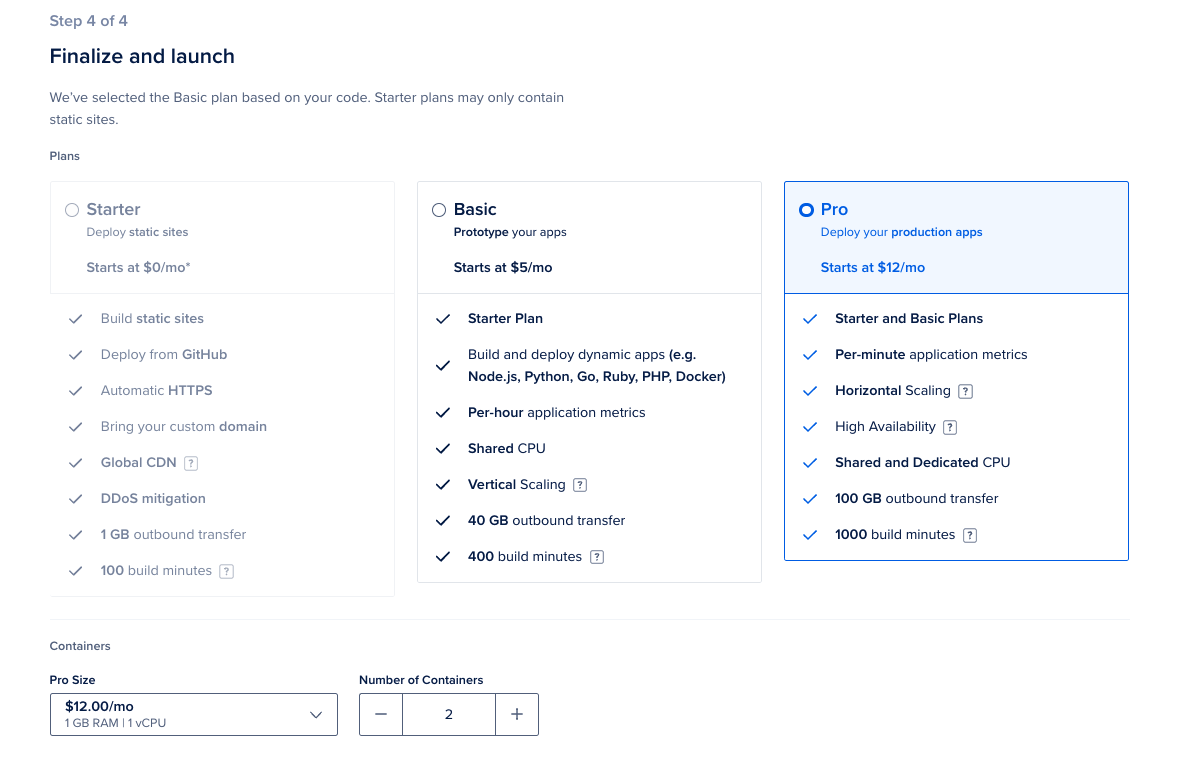
Finalize and Launch
-
Select hosting plan for your NocoDB application
-
Click "Launch APP"
Application will be build & URL will be live in a minute! The URL will be something like https://simply-nocodb-rsyir.ondigitalocean.app/
Cloudron
Click to Expand
Navigate to App Store
Log into Cloudron and select App Store
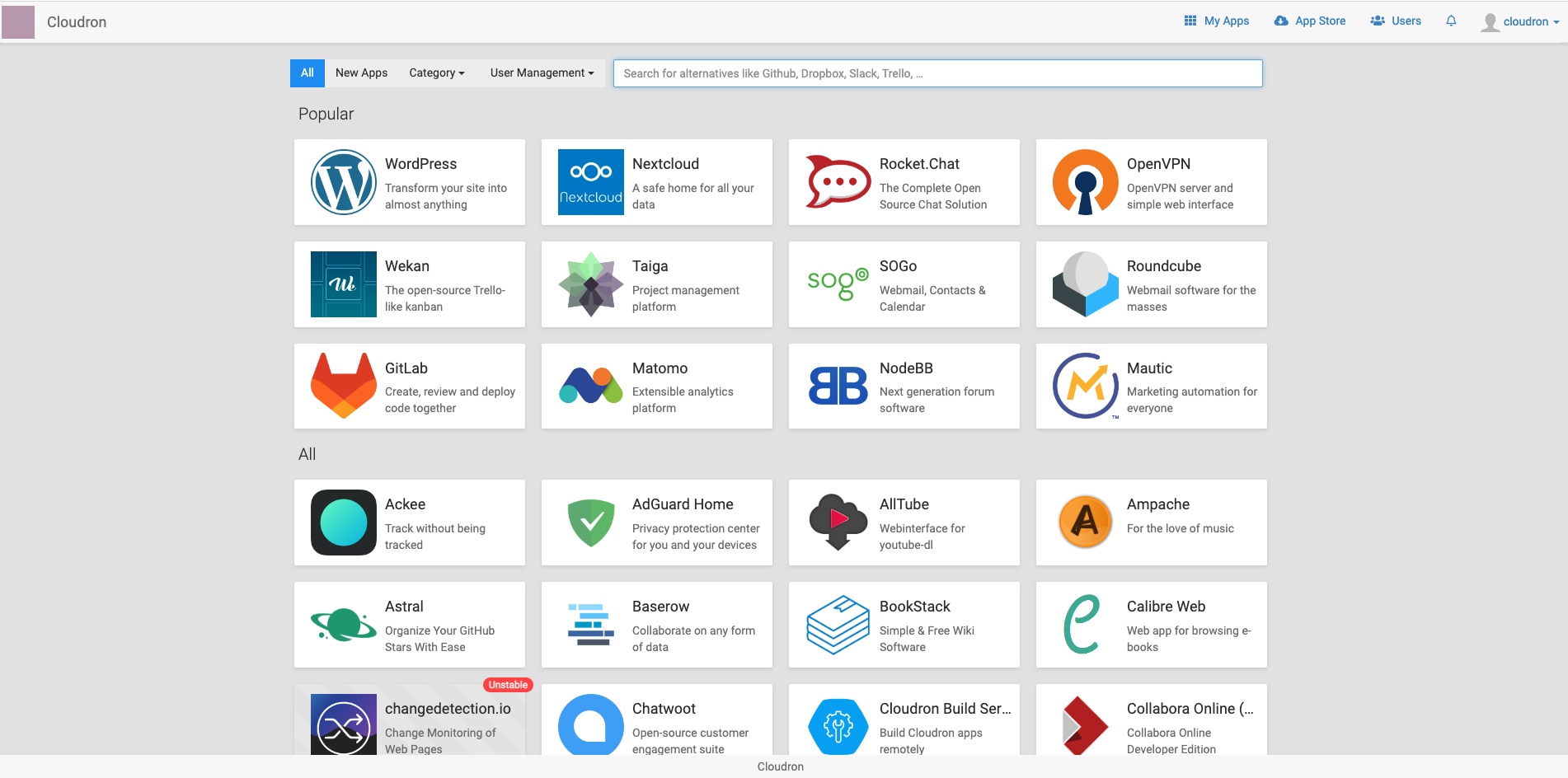
Search NocoDB

Click Install
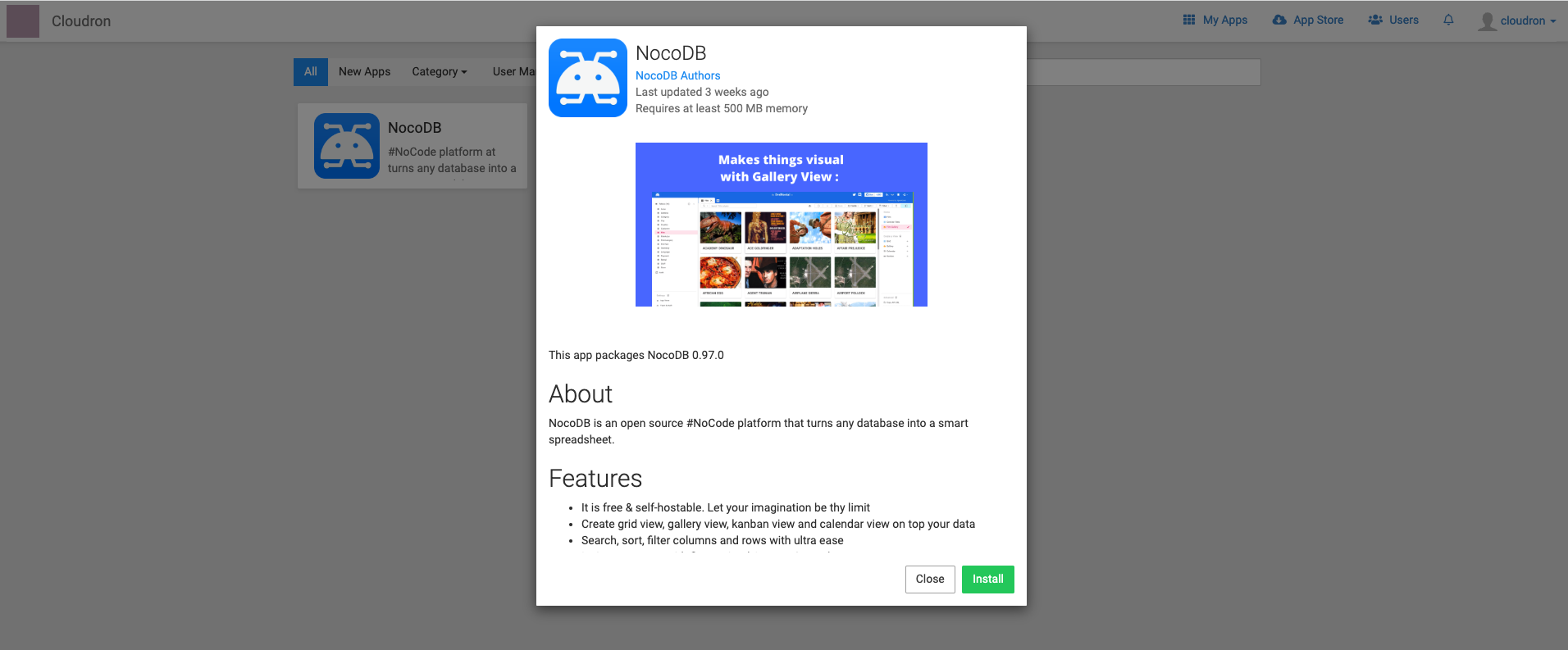
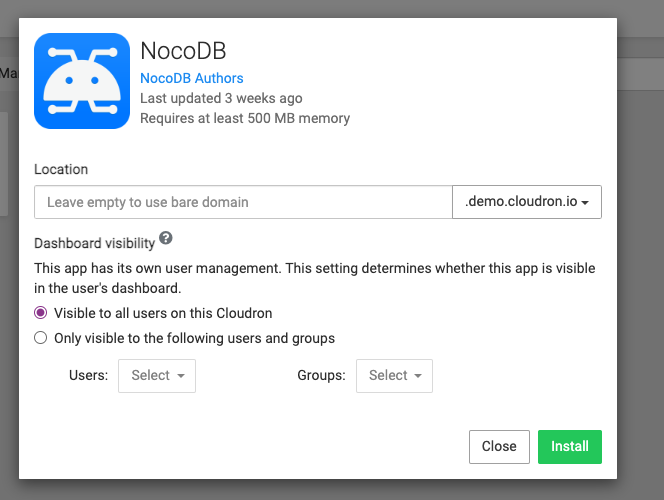
Configure NocoDB
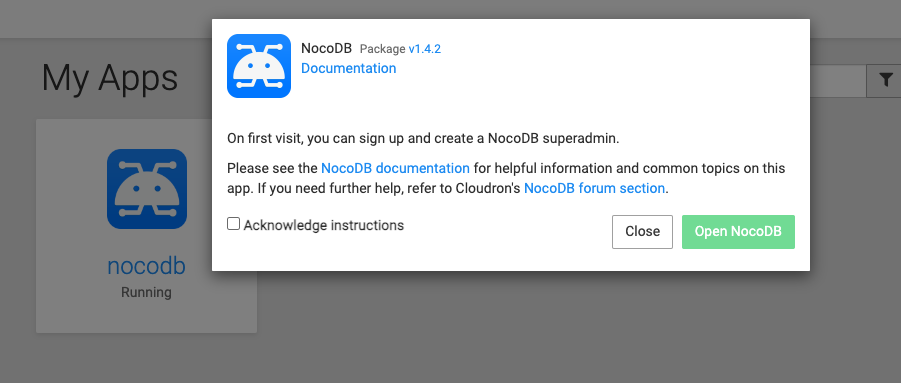
Go to My App and Launch NocoDB
CapRover
Click to Expand
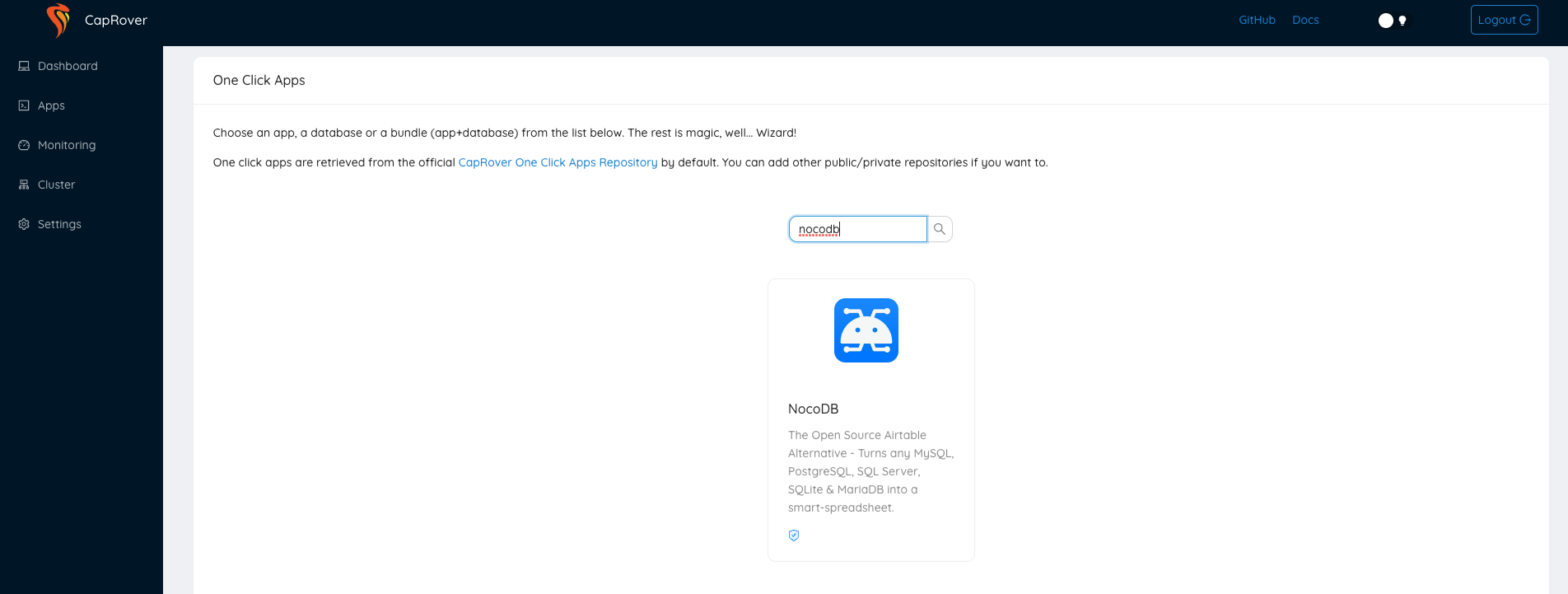
Login and Click One-Click Apps / Databases
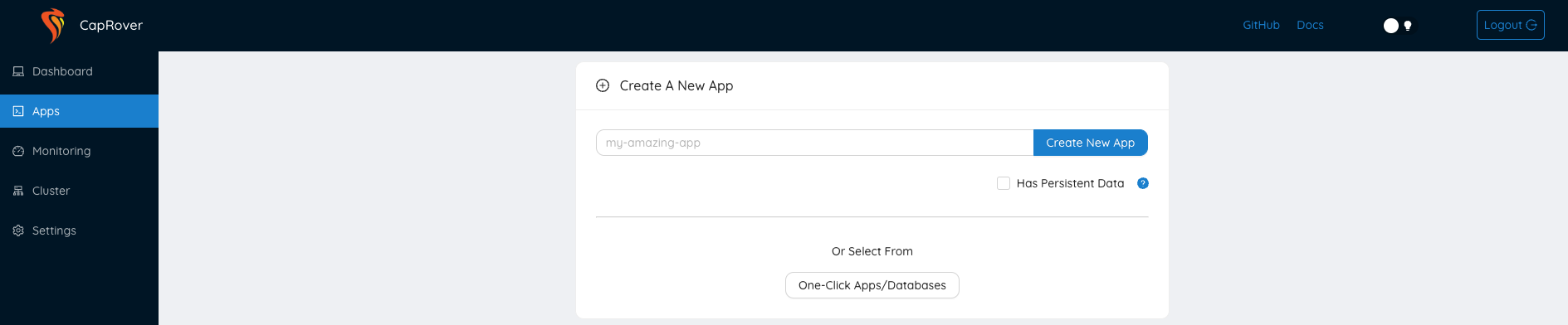
Search NocoDB
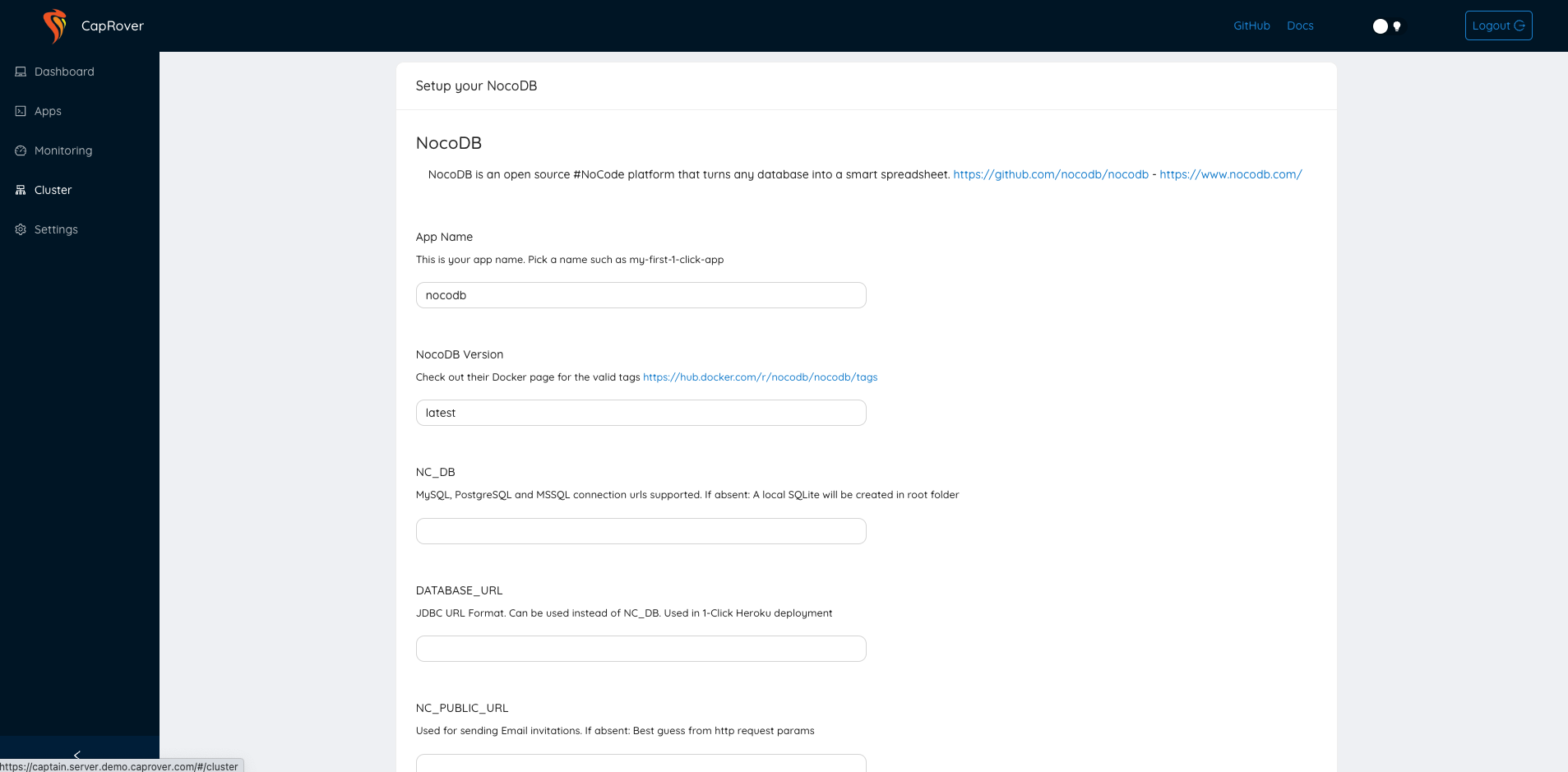
Configure NocoDB and Deploy
Railway
Click to Expand
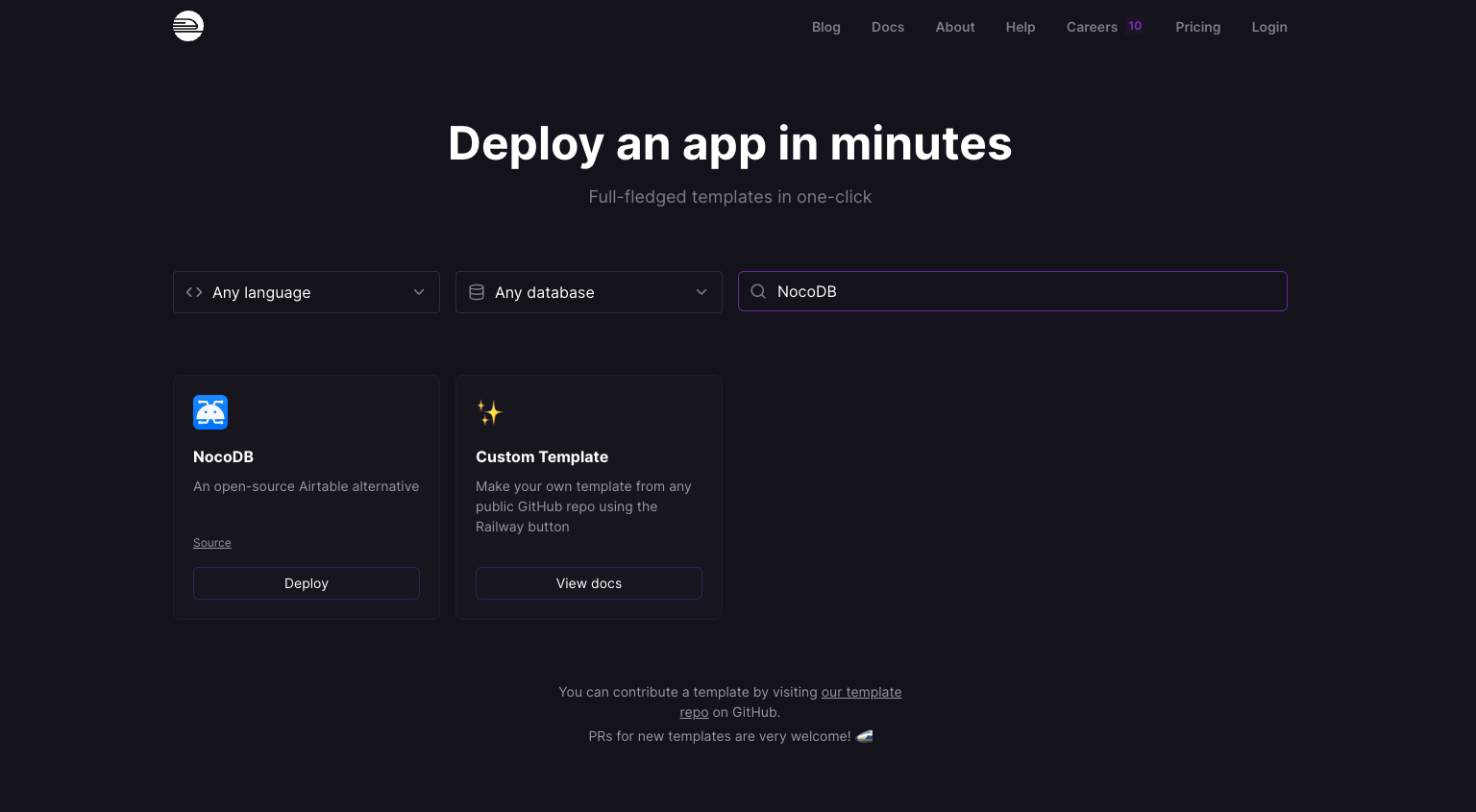
Navigate to Templates
Go to Templates, Search NocoDB and click Deploy
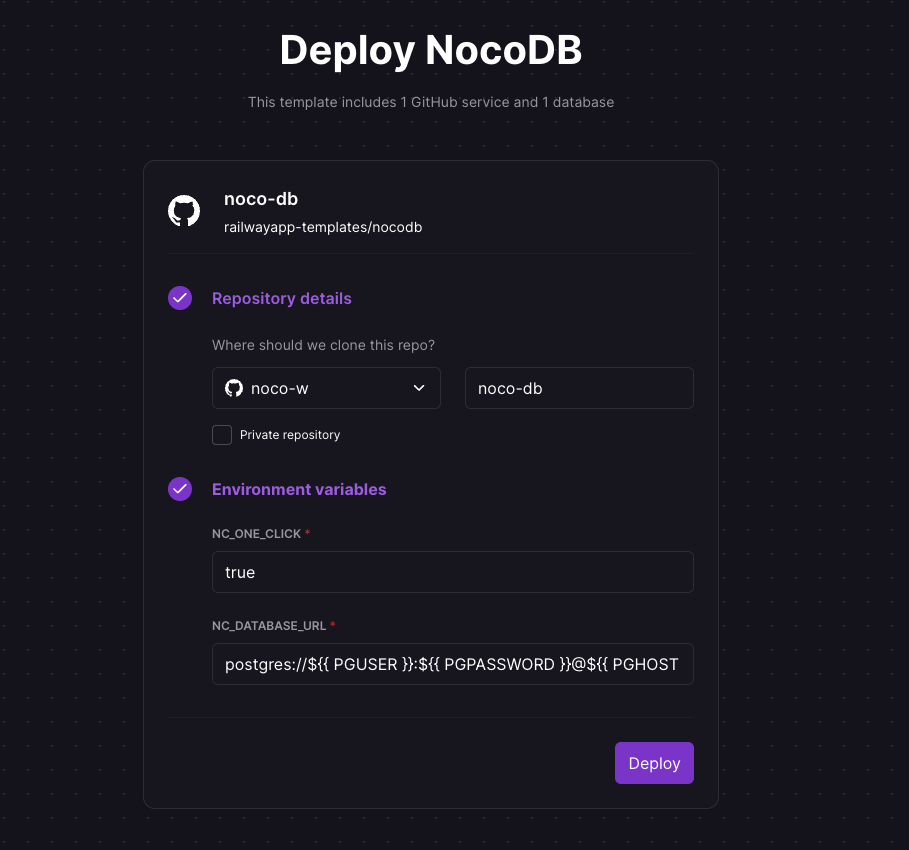
Configure NocoDB and Deploy
FreeBSD / FreeNAS / TrueNAS Jail
See here provided by C. R. Zamana.