mirror of
https://github.com/nocodb/nocodb.git
synced 2026-04-30 17:37:08 +00:00

3.4 KiB
3.4 KiB
title, description
| title | description |
|---|---|
| Import Airtable to NocoDB | A complete import of your Airtable to any MySQL, Postgres, SQLite and SQL server databases within minutes |
NocoDB allows a complete import of your Airtable to any MySQL, Postgres, SQLite and SQL server databases within minutes.
:::note
Import from Airtable is in beta version. See Importing Airtable To NocoDB for the migration notes.
:::note
Get Airtable Credentials
:::note
You need to retrieve API key and Shared Base ID / URL from Airtable.
:::
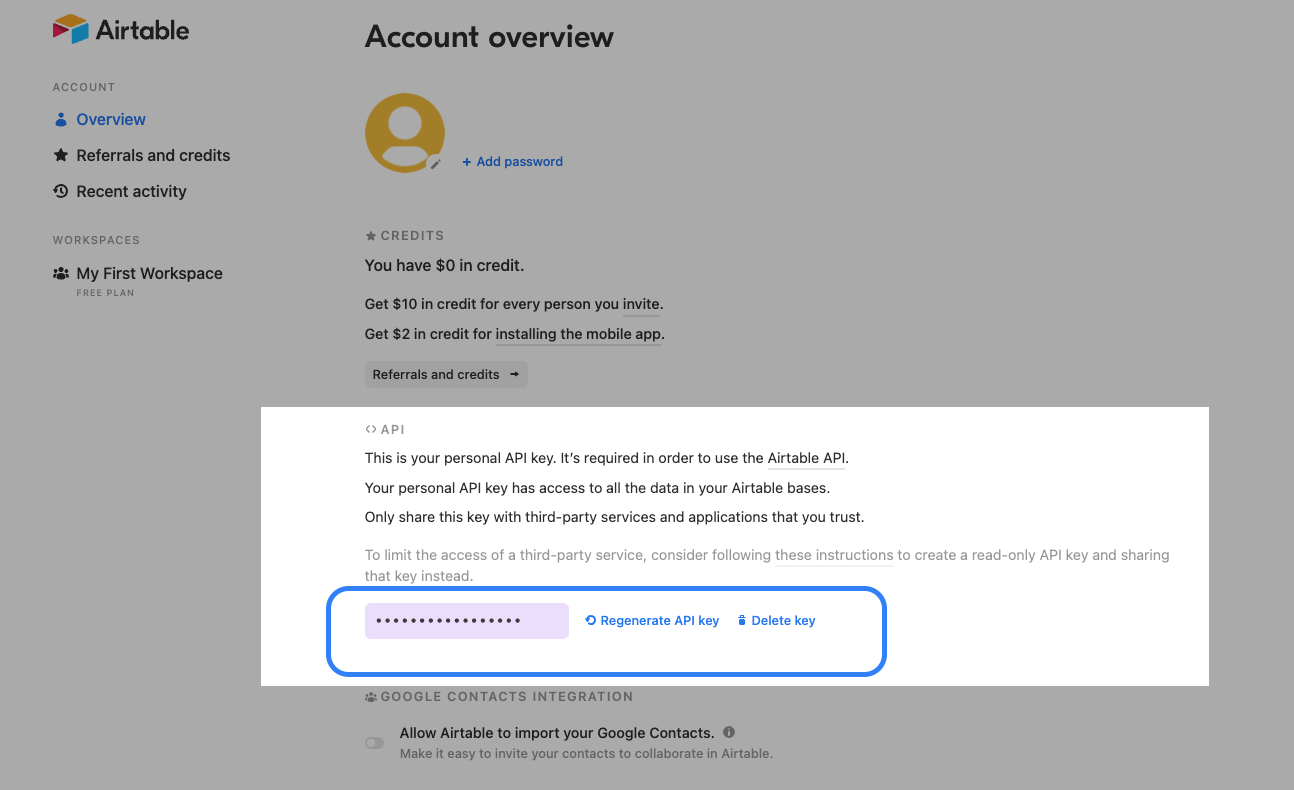
Retrieve API Key
-
Copy your Airtable API Key from Airtable Accounts page
Retrieve Share Base ID / URL
See here for detailed procedures.
-
Open
Sharemenu in your Project / Base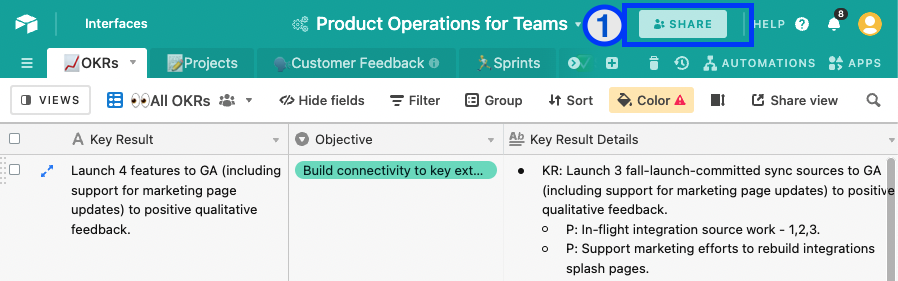
-
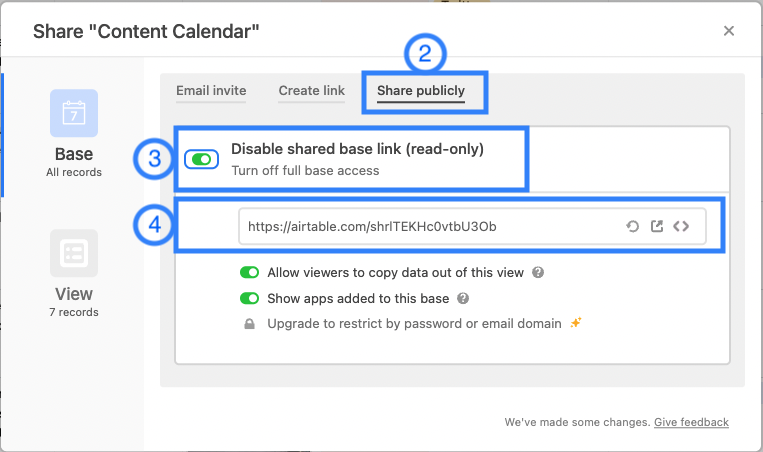
Open tab
Share Publicly -
Enable
Turn on full base access -
Copy generated shared base URL
Import Airtable to NocoDB
:::note
Prerequisites:
- A NocoDB Project
- Airtable Credentials
:::
Below are 3 simple steps
- Go to your Project, Open
Add / Importmenu and clickAirtable.
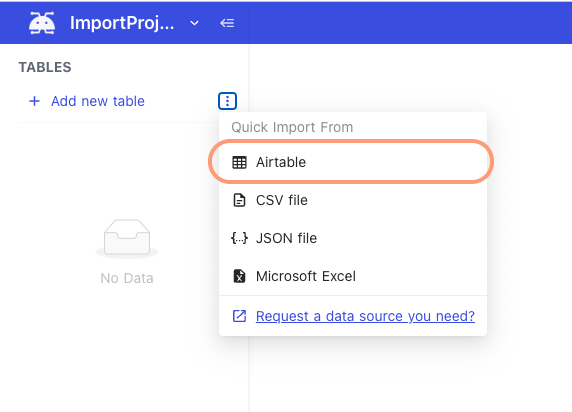
- Input API key & Shared Base ID / URL (retrieved from
Get Airtable Credentialsabove).
- {"<"}1{">"} API Key
- {"<"}2{">"} Share Base ID
- {"<"}3{">"} Configuration option
- Import Data: disable this option to import only table & view schema's
- Import Secondary Views: disable this option to import only primary grid view per table
- Import Rollup Columns: disable this option to skip Rollup column import
- Import Lookup Columns: disable this option to skip Lookup column import
- Import Attachments Columns: disable this option to skip Attachment column import
- <Not supported yet> Import Formula Columns: disable this option to skip Formula (computation) column import
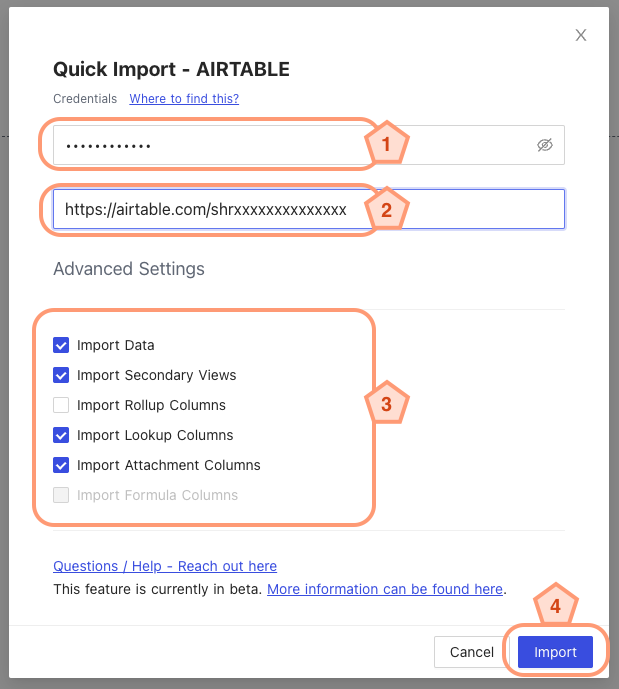
- Click
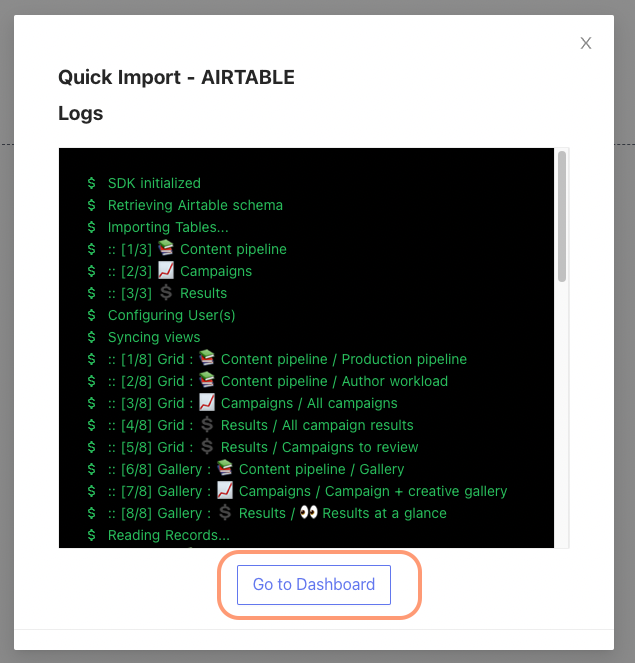
Importand you will see the status - Wait until
Go To Dashboardbutton is activated on the modal. Import details are captured in log window.