mirror of
https://github.com/nocodb/nocodb.git
synced 2026-04-30 19:06:40 +00:00

7.6 KiB
7.6 KiB
title, description
| title | description |
|---|---|
| Team & Auth | Breakdown of roles & permissions for team user management |
Accessing Team & Auth
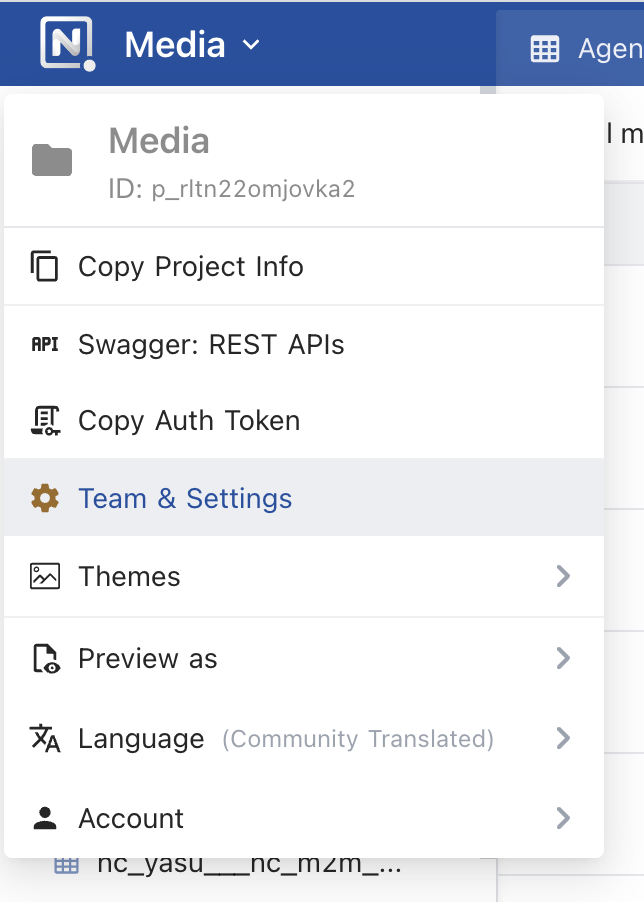
- Click on
Team & Settingsfrom theProject Menu - Access
Team & AuthunderSettings
User Management
How to Add a User
- Go to
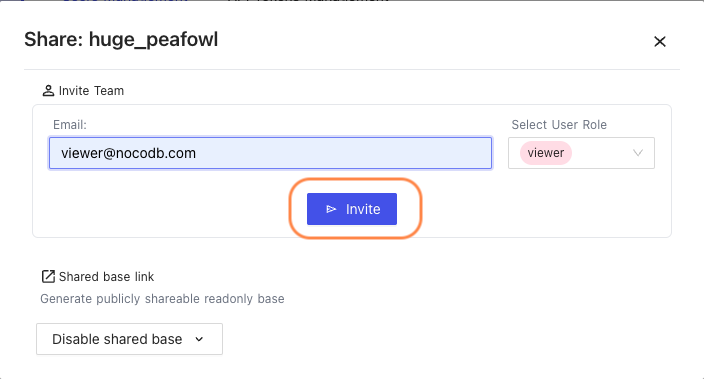
Team & Auth, click onInvite Team

- Enter the user's
E-mail. SelectUser Role, and ClickInvite.
:::tip
You can add multiple comma (,) seperated emails
:::
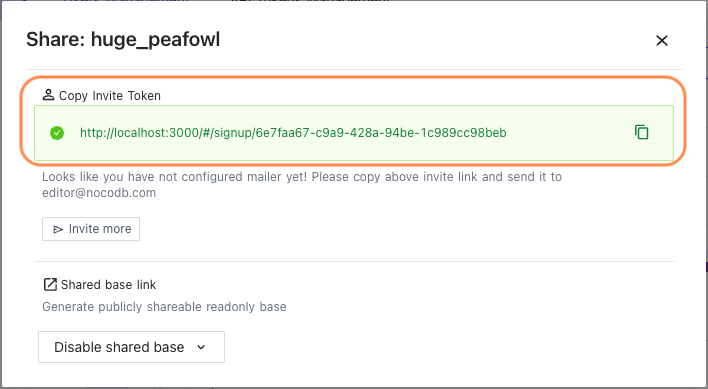
If you do not have an SMTP sender configured, make sure to copy the invite link and manually send it to your collaborator.
How to Update user permissions
- Use
Edit{"<"}1{">"} menu to assign a different role to existing user - Use
Delete{"<"}2{">"} menu to remove a user from accessing current project

User Role Permissions
Advanced Options & Configurations
| Owner | Creator | Editor | Commenter | Viewer | |
|---|---|---|---|---|---|
| Audit | ✅ | ✅ | ❌ | ❌ | ❌ |
| App Store | ✅ | ❌ | ❌ | ❌ | ❌ |
| Team & Auth | ✅ | ❌ | ❌ | ❌ | ❌ |
| Project Metadata | ✅ | ❌ | ❌ | ❌ | ❌ |
| New user: Add Owner | ✅ | ❌ | ❌ | ❌ | ❌ |
| New user: Add Creator | ✅ | ❌ | ❌ | ❌ | ❌ |
| New user: Add Editor | ✅ | ✅ | ❌ | ❌ | ❌ |
| New user: Add Commenter | ✅ | ✅ | ❌ | ❌ | ❌ |
| New user: Add Viewer | ✅ | ✅ | ❌ | ❌ | ❌ |
| View existing users | ✅ | ✅ | ❌ | ❌ | ❌ |
| Preview mode | ✅ | ✅ | ❌ | ❌ | ❌ |
Schema Options
| Owner | Creator | Editor | Commenter | Viewer | |
|---|---|---|---|---|---|
| Add table | ✅ | ✅ | ❌ | ❌ | ❌ |
| Delete table | ✅ | ✅ | ❌ | ❌ | ❌ |
| Modify table | ✅ | ✅ | ❌ | ❌ | ❌ |
| Add column | ✅ | ✅ | ❌ | ❌ | ❌ |
| Delete column | ✅ | ✅ | ❌ | ❌ | ❌ |
| Modify column | ✅ | ✅ | ❌ | ❌ | ❌ |
Record Options
| Owner | Creator | Editor | Commenter | Viewer | |
|---|---|---|---|---|---|
| Add row | ✅ | ✅ | ✅ | ❌ | ❌ |
| Delete row | ✅ | ✅ | ✅ | ❌ | ❌ |
| Modify row/ cell | ✅ | ✅ | ✅ | ❌ | ❌ |
| Expand row | ✅ | ✅ | ✅ | ❌ | ❌ |
| Right click on cell (add/edit row) | ✅ | ✅ | ✅ | ❌ | ❌ |
| View table data (cell) contents | ✅ | ✅ | ✅ | ✅ | ✅ |
Comments
| Owner | Creator | Editor | Commenter | Viewer | |
|---|---|---|---|---|---|
| View comments from others | ✅ | ✅ | ✅ | ✅ | ❌ |
| Add comments | ✅ | ✅ | ✅ | ✅ | ❌ |
Views
| Owner | Creator | Editor | Commenter | Viewer | |
|---|---|---|---|---|---|
| Create new view | ✅ | ✅ | ❌ | ❌ | ❌ |
| Share view | ✅ | ✅ | ❌ | ❌ | ❌ |
Project Generals
| Owner | Creator | Editor | Commenter | Viewer | |
|---|---|---|---|---|---|
| Created views access | ✅ | ✅ | ✅ | ✅ | ✅ |
| Filter fields/ Column | ✅ | ✅ | ✅ | ✅ | ✅ |
| Filter fields/ Query | ✅ | ✅ | ✅ | ✅ | ✅ |
| Sort fields | ✅ | ✅ | ✅ | ✅ | ✅ |
| Theme | ✅ | ✅ | ✅ | ✅ | ✅ |
| Auth token | ✅ | ✅ | ✅ | ✅ | ✅ |
| Project Info | ✅ | ✅ | ✅ | ✅ | ✅ |
| Swagger API | ✅ | ✅ | ✅ | ✅ | ✅ |
API Tokens Management
NocoDB allows creating API tokens which allow it to be integrated seamlessly with 3rd party apps. API Token is a Nano ID with a length of 40. If you are passing API Token, make sure that the header is called xc-token.
- Open
Project Menu, click onTeam & Settings
-
Click
API Tokens Managementtab underTeam & Authsection -
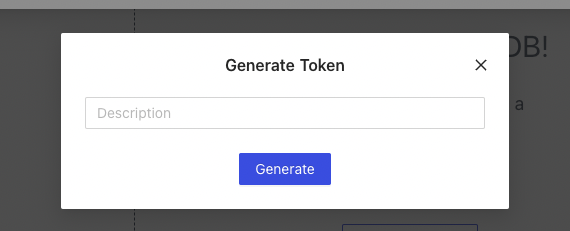
Click Add New Token

- Type an recognizable name for your token and click
Generate
- Copy API token to your clipboard; use action menu to the right of token list