mirror of
https://github.com/nocodb/nocodb.git
synced 2026-04-30 11:16:46 +00:00

1.5 KiB
1.5 KiB
title, description, position, category, menuTitle, link
| title | description | position | category | menuTitle | link |
|---|---|---|---|---|---|
| Upgrading | Upgrading NocoDB : Docker, Node and Homebrew! | 20 | Getting started | Upgrading | https://codesandbox.io/embed/vigorous-firefly-80kq5?hidenavigation=1&theme=dark |
Docker
Find, Stop & Delete NocoDB Docker Container
# find NocoDB container ID
docker ps
# stop NocoDB container
docker stop <YOUR_CONTAINER_ID>
# delete NocoDB container
docker rm <YOUR_CONTAINER_ID>
Find & Remove NocoDB Docker Image
# find NocoDB image
docker images
# delete NocoDB image
docker rmi <YOUR_IMAGE_ID>
Pull the latest NocoDB image with same environment variables
docker run -d -p 8080:8080 \
    -e NC_DB="<YOUR_NC_DB_URL>" \
    -e NC_AUTH_JWT_SECRET="<YOUR_NC_AUTH_JWT_SECRET_IF_GIVEN>" \
    nocodb/nocodb:latest
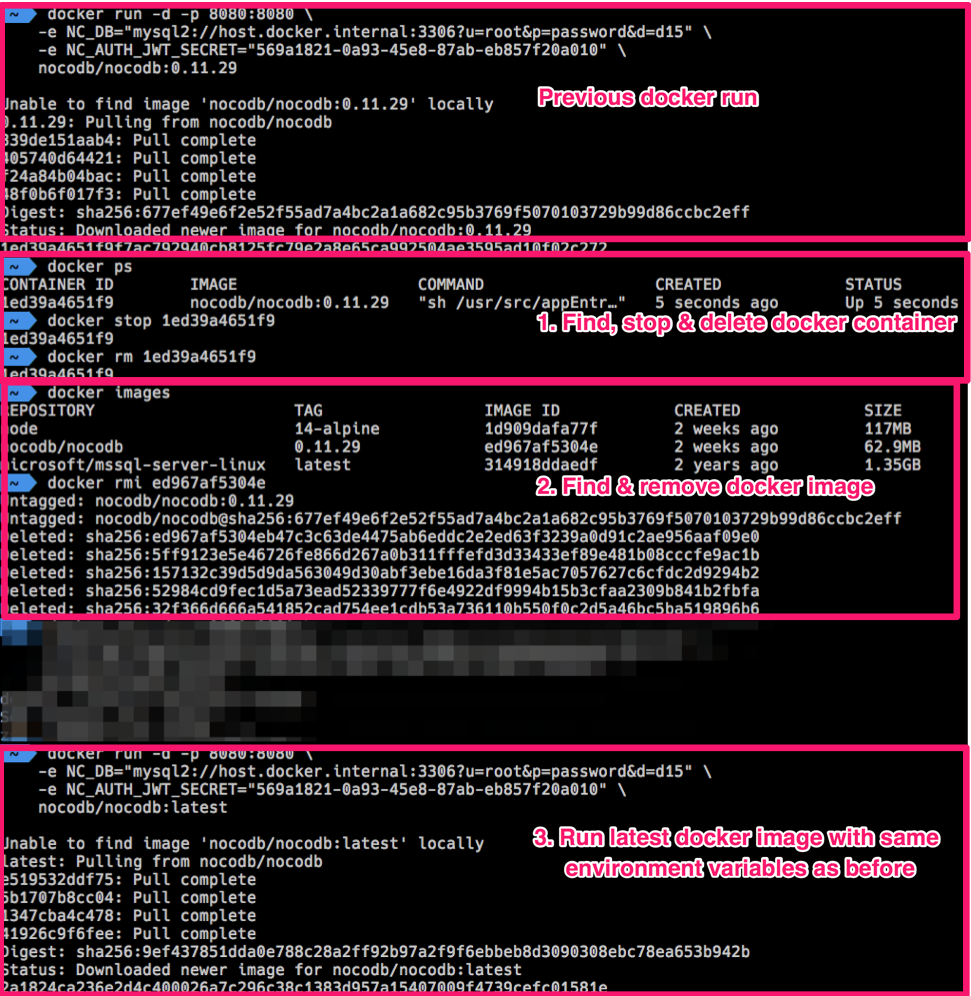
Updating nocodb docker container is similar to updating any other docker containers.
Example: Docker Upgrade
Node
Updating docker container is similar to updating a npm package.
From your root folder
Uninstall NocoDB package
npm uninstall nocodb
Install NocoDB package
npm install --save nocodb
Homebrew
Run following commands to upgrade Homebrew Nocodb version.
# Update the local homebrew formulas
brew update
# Upgrade nocodb package
brew upgrade nocodb