mirror of
https://github.com/nocodb/nocodb.git
synced 2026-05-04 16:27:06 +00:00

211 lines
14 KiB
Markdown
211 lines
14 KiB
Markdown
<h1 align="center" style="border-bottom: none">
|
|
<div>
|
|
<a style="color:#36f" href="https://www.nocodb.com">
|
|
<img src="/packages/nc-gui/assets/img/icons/512x512.png" width="80" />
|
|
<br>
|
|
NocoDB
|
|
</a>
|
|
</div>
|
|
The Open Source Airtable Alternative <br>
|
|
</h1>
|
|
|
|
<p align="center">
|
|
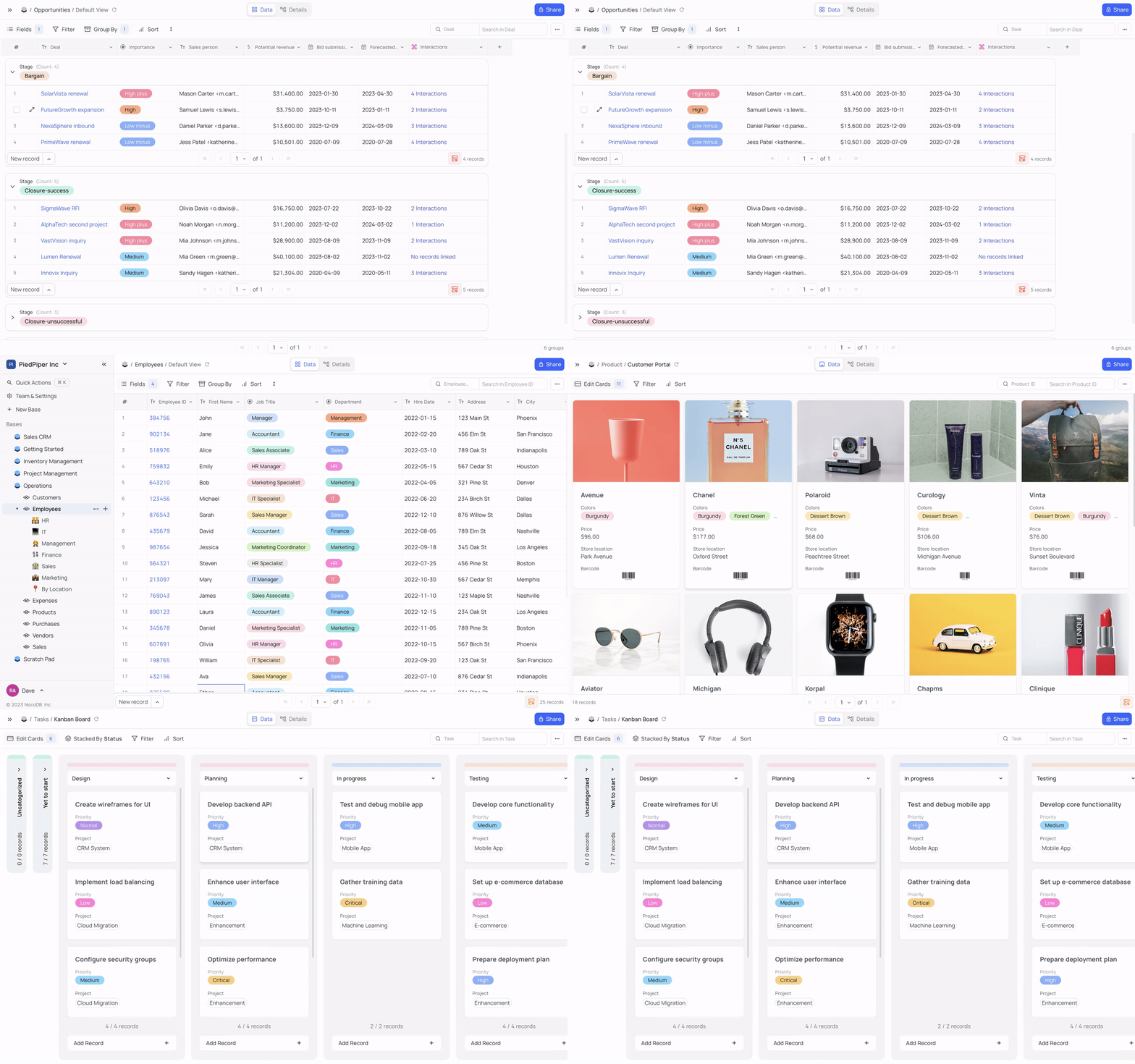
Turns any MySQL, PostgreSQL, SQL Server, SQLite & MariaDB into a smart spreadsheet.
|
|
</p>
|
|
|
|
|
|
<p align="center">
|
|
<a href="http://www.nocodb.com"><b>Website</b></a> •
|
|
<a href="https://discord.gg/5RgZmkW"><b>Discord</b></a> •
|
|
<a href="https://community.nocodb.com/"><b>Community</b></a> •
|
|
<a href="https://twitter.com/nocodb"><b>Twitter</b></a> •
|
|
<a href="https://www.reddit.com/r/NocoDB/"><b>Reddit</b></a> •
|
|
<a href="https://docs.nocodb.com/"><b>Documentation</b></a>
|
|
</p>
|
|
|
|
|
|
|
|
<div align="center">
|
|
|
|
[<img height="38" src="https://user-images.githubusercontent.com/61551451/135263434-75fe793d-42af-49e4-b964-d70920e41655.png">](markdown/readme/languages/chinese.md)
|
|
[<img height="38" src="https://user-images.githubusercontent.com/61551451/135263474-787d71e7-3a87-42a8-92a8-be1d1f55413d.png">](markdown/readme/languages/french.md)
|
|
[<img height="38" src="https://user-images.githubusercontent.com/61551451/135263531-fae58600-6616-4b43-95a0-5891019dd35d.png">](markdown/readme/languages/german.md)
|
|
[<img height="38" src="https://user-images.githubusercontent.com/61551451/135263589-3dbeda9a-0d2e-4bbd-b1fc-691404bb74fb.png">](markdown/readme/languages/spanish.md)
|
|
[<img height="38" src="https://user-images.githubusercontent.com/61551451/135263669-f567196a-d4e8-4143-a80a-93d3be32ba90.png">](markdown/readme/languages/portuguese.md)
|
|
[<img height="38" src="https://user-images.githubusercontent.com/61551451/135263707-ba4e04a4-268a-4626-91b8-048e572fd9f6.png">](markdown/readme/languages/italian.md)
|
|
[<img height="38" src="https://user-images.githubusercontent.com/61551451/135263770-38e3e79d-11d4-472e-ac27-ae0f17cf65c4.png">](markdown/readme/languages/japanese.md)
|
|
[<img height="38" src="https://user-images.githubusercontent.com/61551451/135263822-28fce9de-915a-44dc-962d-7a61d340e91d.png">](markdown/readme/languages/korean.md)
|
|
[<img height="38" src="https://user-images.githubusercontent.com/61551451/135263888-151d4ad1-7084-4943-97c9-56f28cd40b80.png">](markdown/readme/languages/russian.md)
|
|
|
|
</div>
|
|
|
|
<p align="center"><a href="markdown/readme/languages/README.md"><b>See other languages »</b></a></p>
|
|
|
|
<img src="https://static.scarf.sh/a.png?x-pxid=c12a77cc-855e-4602-8a0f-614b2d0da56a" />
|
|
|
|
# Installation
|
|
|
|
Else you can always rely on Docker or Binaries if you are trying locally.
|
|
|
|
## Auto-upstall
|
|
Auto-upstall is the fastest and easiest way to self-host NocoDB on a server. Behind the scenes it auto-generates docker-compose for you.
|
|
|
|
```bash
|
|
bash <(curl -sSL http://install.nocodb.com/noco.sh) <(mktemp)
|
|
```
|
|
|
|
Follow the simple steps below & enjoy the seamless installation.
|
|
|
|
- Step 1. 🔐 SSH into your server.
|
|
- Step 2. 🚀 Run the below command & follow instructions :
|
|
```bash
|
|
bash <(curl -sSL http://install.nocodb.com/noco.sh) <(mktemp)
|
|
```
|
|
- Step 3. 🌐 Open your browser and go to URL
|
|
- For 🌍 HTTP: `http://<your-domain-or-ip>`
|
|
- For 🔒 HTTPS: `https://<your-domain-or-ip>`
|
|
- Step 4. 🐦 Don't keep the command a secret. Tweet how easy it is. This step is a must!
|
|
|
|
### Notes
|
|
Auto-upstall is a single command that : 🕊
|
|
- 🐳 Automatically installs all pre-requisites like docker, docker-compose
|
|
- 🚀 Automatically installs NocoDB with PostgreSQL, Redis, Minio, Traefik gateway using Docker Compose. 🐘 🗄️ 🌐
|
|
- 🔄 Automatically upgrades NocoDB to the latest version when you run the command again.
|
|
- 🔒 Automatically setups SSL and also renews it. Needs a domain or subdomain as input while installation.
|
|
|
|
> install.nocodb.com/noco.sh script can be found [here in our github](https://raw.githubusercontent.com/nocodb/nocodb/develop/docker-compose/setup-script/noco.sh)
|
|
|
|
## Installation Methods
|
|
| Install Method | Command to install |
|
|
|-------------------------------|----------------------------------------------------------------------------------------------------------------------------------------------------------------------------------------------------------------------------------------------------------------------------------------------------------------------------------------------------------------------------|
|
|
| <br>🚀 Auto Upstall<br> | <br>`bash <(curl -sSL http://install.nocodb.com/noco.sh) <(mktemp)` <br> |
|
|
| 🐳 Docker <br>(with SQLite) | `docker run -d --name nocodb \`<br>    `-v ""$(pwd)"":/nocodb:/usr/app/data/ \`<br>    `-p 8080:8080 \`<br>    `nocodb/nocodb:latest` |
|
|
| 🐳 Docker <br>(with PG 🐘) | `docker run -d --name nocodb-postgres \`<br>    `-v "${pwd}"/nocodb:/usr/app/data/ \`<br>    `-p 8080:8080 \`<br>    `-e NC_DB="pg://host.docker.internal:5432?u=root&p=password&d=d1" \`<br>    `-e NC_AUTH_JWT_SECRET="569a1821-0a93-45e8-87ab-eb857f20a010" \`<br>    `nocodb/nocodb:latest` |
|
|
| 🍏 MacOS arm64 <br>(Binary) | `curl http://get.nocodb.com/macos-arm64 -o nocodb -L && chmod +x nocodb && ./nocodb` |
|
|
| 🍏 MacOS x64 <br>(Binary) | `curl http://get.nocodb.com/macos-x64 -o nocodb -L && chmod +x nocodb && ./nocodb` |
|
|
| 🐧 Linux arm64 <br>(Binary) | `curl http://get.nocodb.com/linux-arm64 -o nocodb -L && chmod +x nocodb && ./nocodb` |
|
|
| 🐧 Linux x64 <br>(Binary) | `curl http://get.nocodb.com/linux-x64 -o nocodb -L && chmod +x nocodb && ./nocodb` |
|
|
| 🪟 Windows arm64 <br>(Binary) | `iwr http://get.nocodb.com/win-arm64.exe -o Noco-win-arm64.exe && .\Noco-win-arm64.exe` |
|
|
| 🪟 Windows x64 <br>(Binary) | `iwr http://get.nocodb.com/win-x64.exe -o Noco-win-x64.exe && .\Noco-win-x64.exe` |
|
|
|
|
|
|
> When running locally access nocodb by visiting: [http://localhost:8080/dashboard](http://localhost:8080/dashboard)
|
|
|
|
# Screenshots
|
|
|
|
|
|
|
|
|
|
|
|

|
|
|
|
|
|
|
|
|
|

|
|

|
|

|
|

|
|
|
|
# Table of Contents
|
|
|
|
- [Quick try](#quick-try)
|
|
- [Installation](#installation)
|
|
- [Auto-Upstall or 1-Command Setup](#auto-upstall)
|
|
- [Installation Methods](#installation-methods)
|
|
- [Join Our Community](#join-our-community)
|
|
- [Screenshots](#screenshots)
|
|
- [Table of Contents](#table-of-contents)
|
|
- [Features](#features)
|
|
- [Rich Spreadsheet Interface](#rich-spreadsheet-interface)
|
|
- [App Store for Workflow Automations](#app-store-for-workflow-automations)
|
|
- [Programmatic Access](#programmatic-access)
|
|
- [Sync Schema](#sync-schema)
|
|
- [Audit](#audit)
|
|
- [Production Setup](#production-setup)
|
|
- [Environment variables](#environment-variables)
|
|
- [Development Setup](#development-setup)
|
|
- [Contributing](#contributing)
|
|
- [Why are we building this?](#why-are-we-building-this)
|
|
- [Our Mission](#our-mission)
|
|
- [License](#license)
|
|
- [Contributors](#contributors)
|
|
|
|
# Features
|
|
|
|
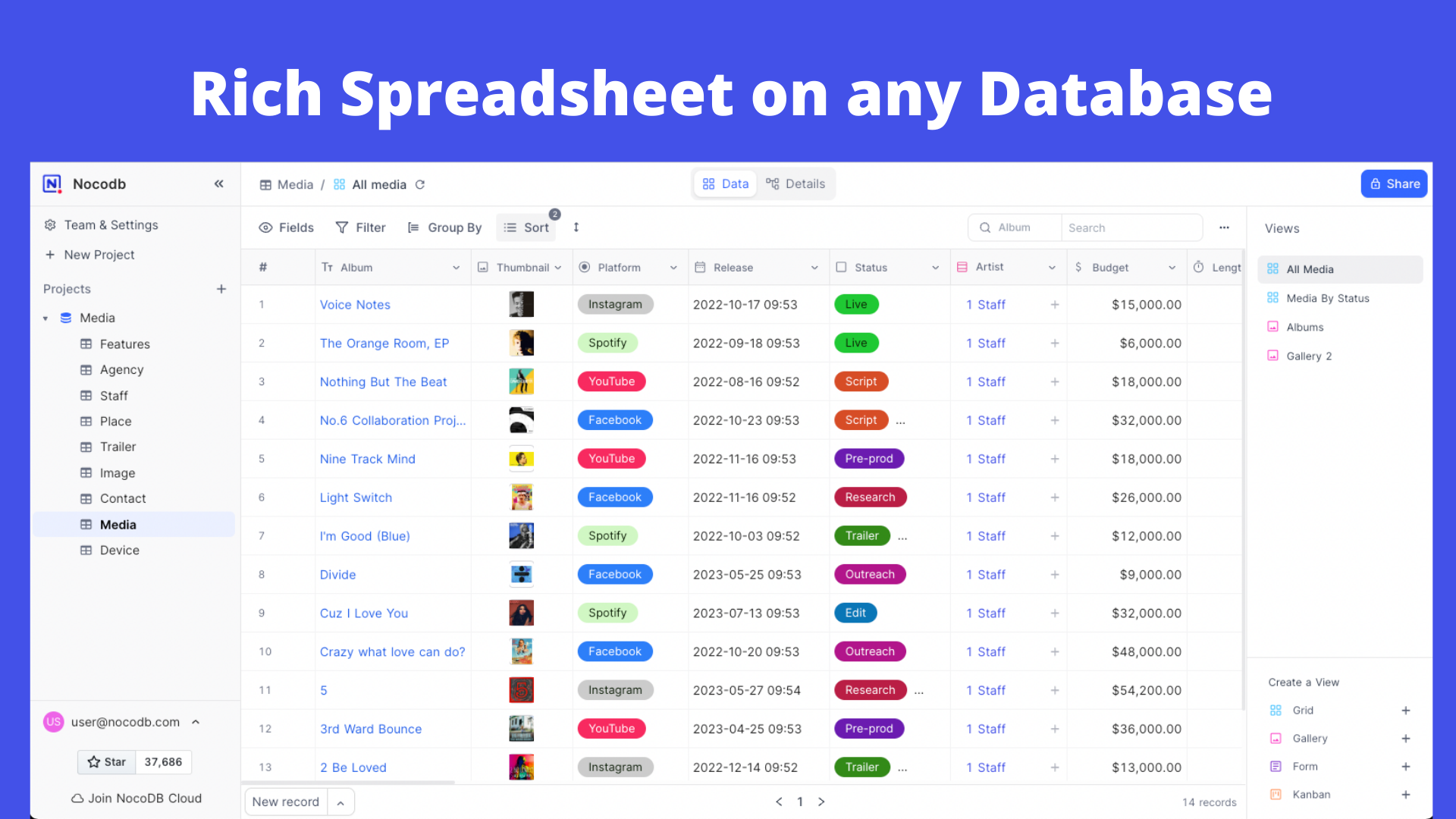
### Rich Spreadsheet Interface
|
|
|
|
- ⚡ Basic Operations: Create, Read, Update and Delete Tables, Columns, and Rows
|
|
- ⚡ Fields Operations: Sort, Filter, Group, Hide / Unhide Columns
|
|
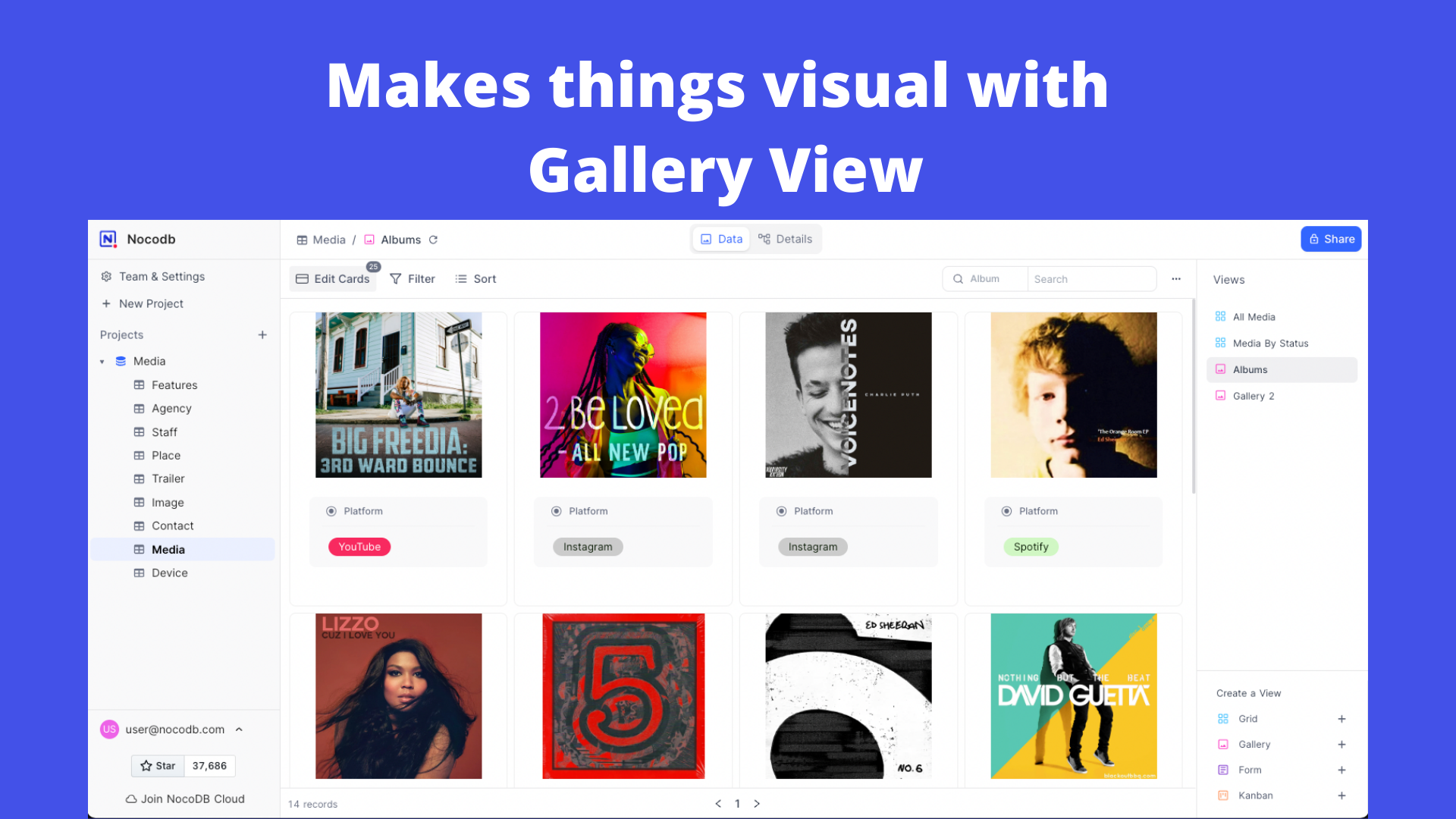
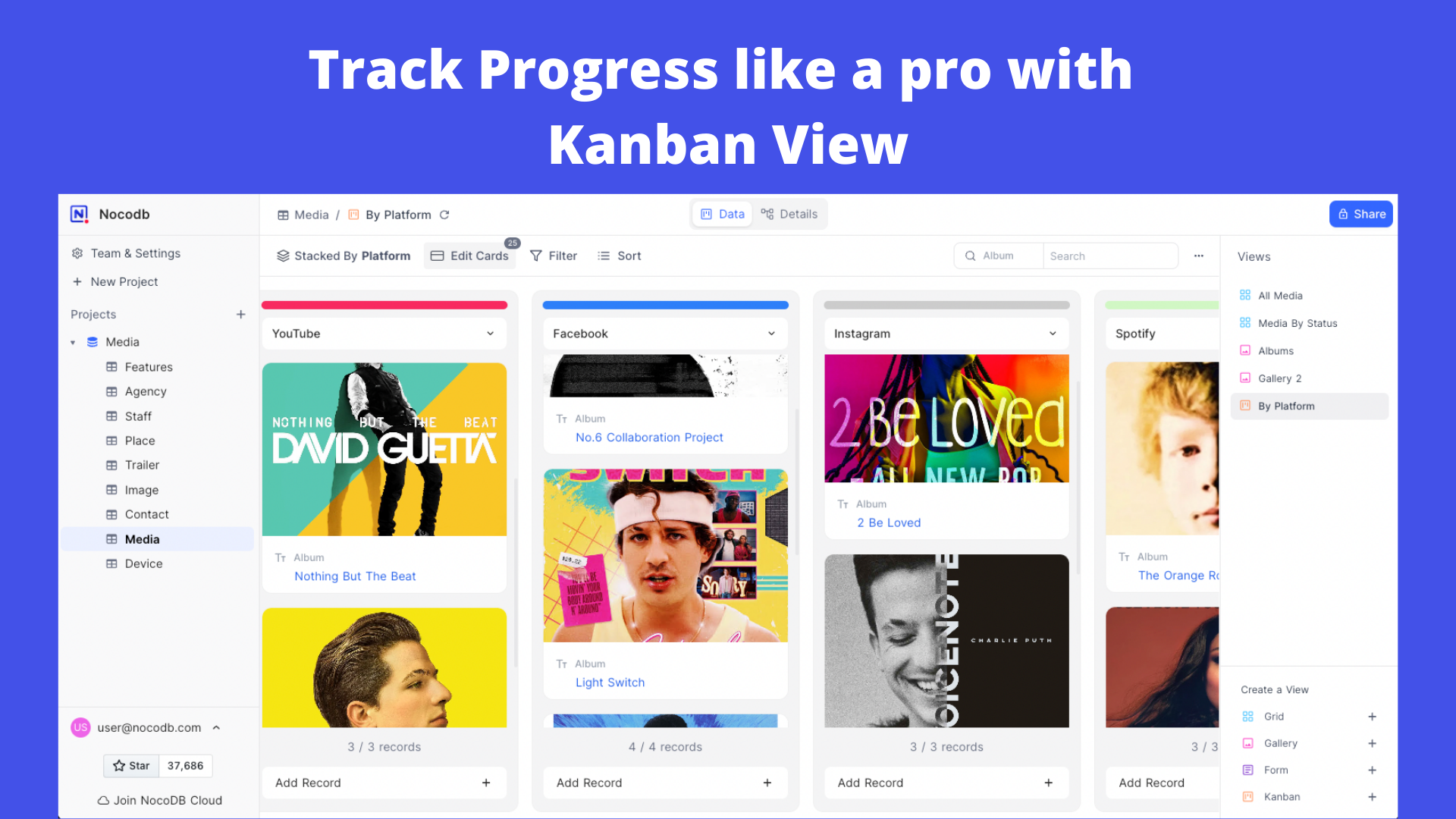
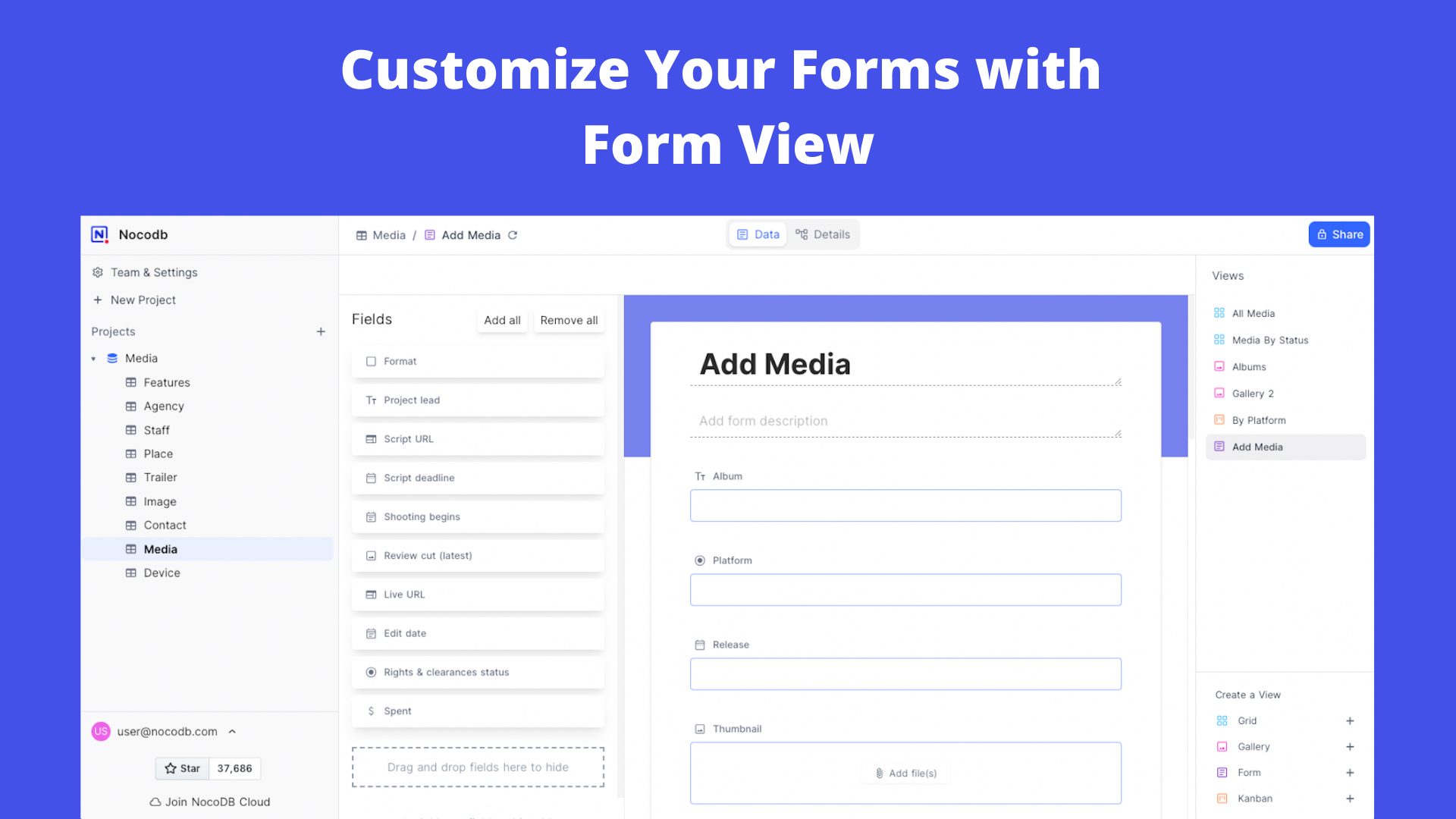
- ⚡ Multiple Views Types: Grid (By default), Gallery, Form, Kanban and Calendar View
|
|
- ⚡ View Permissions Types: Collaborative Views, & Locked Views
|
|
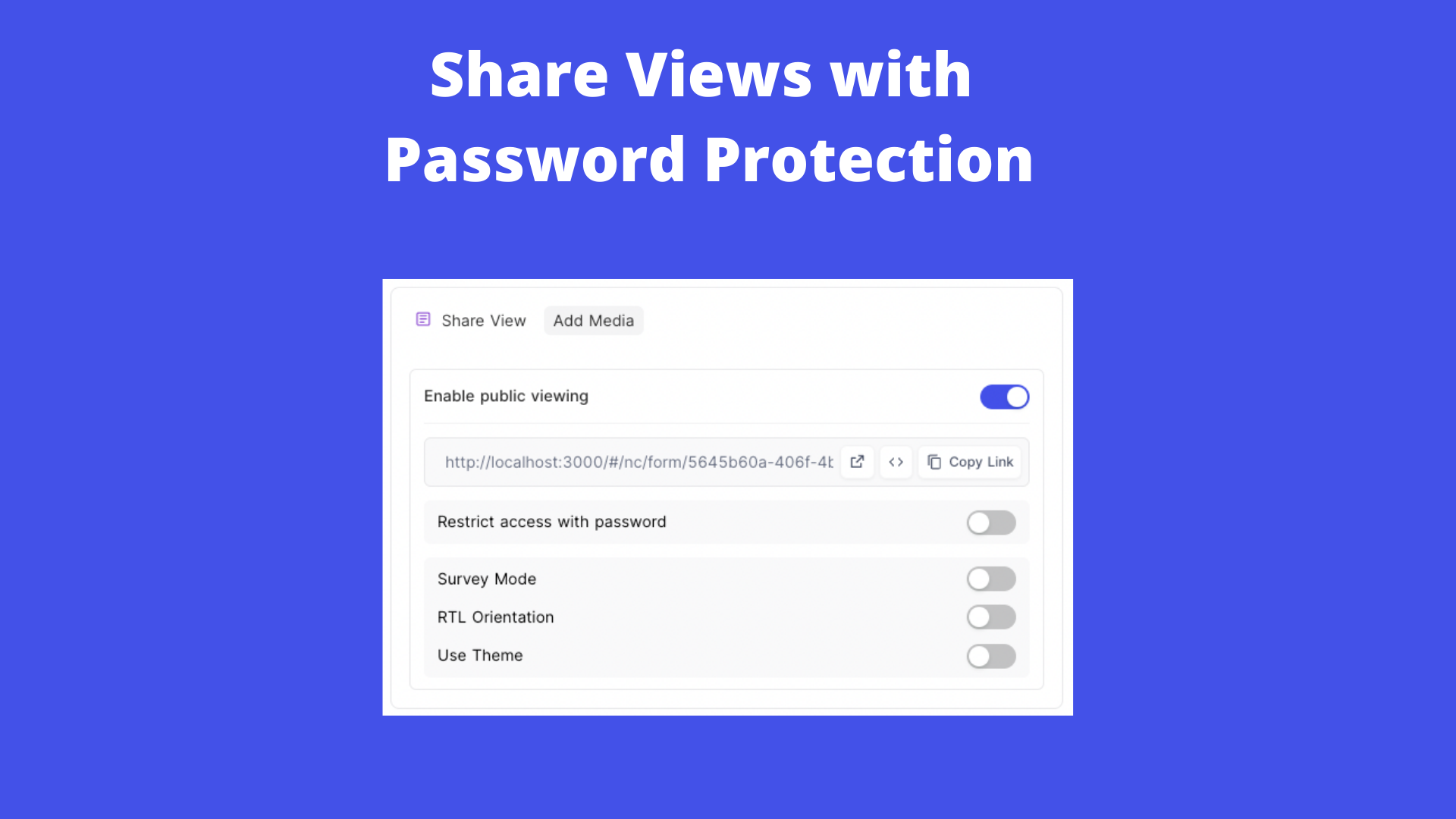
- ⚡ Share Bases / Views: either Public or Private (with Password Protected)
|
|
- ⚡ Variant Cell Types: ID, Links, Lookup, Rollup, SingleLineText, Attachment, Currency, Formula, User, etc
|
|
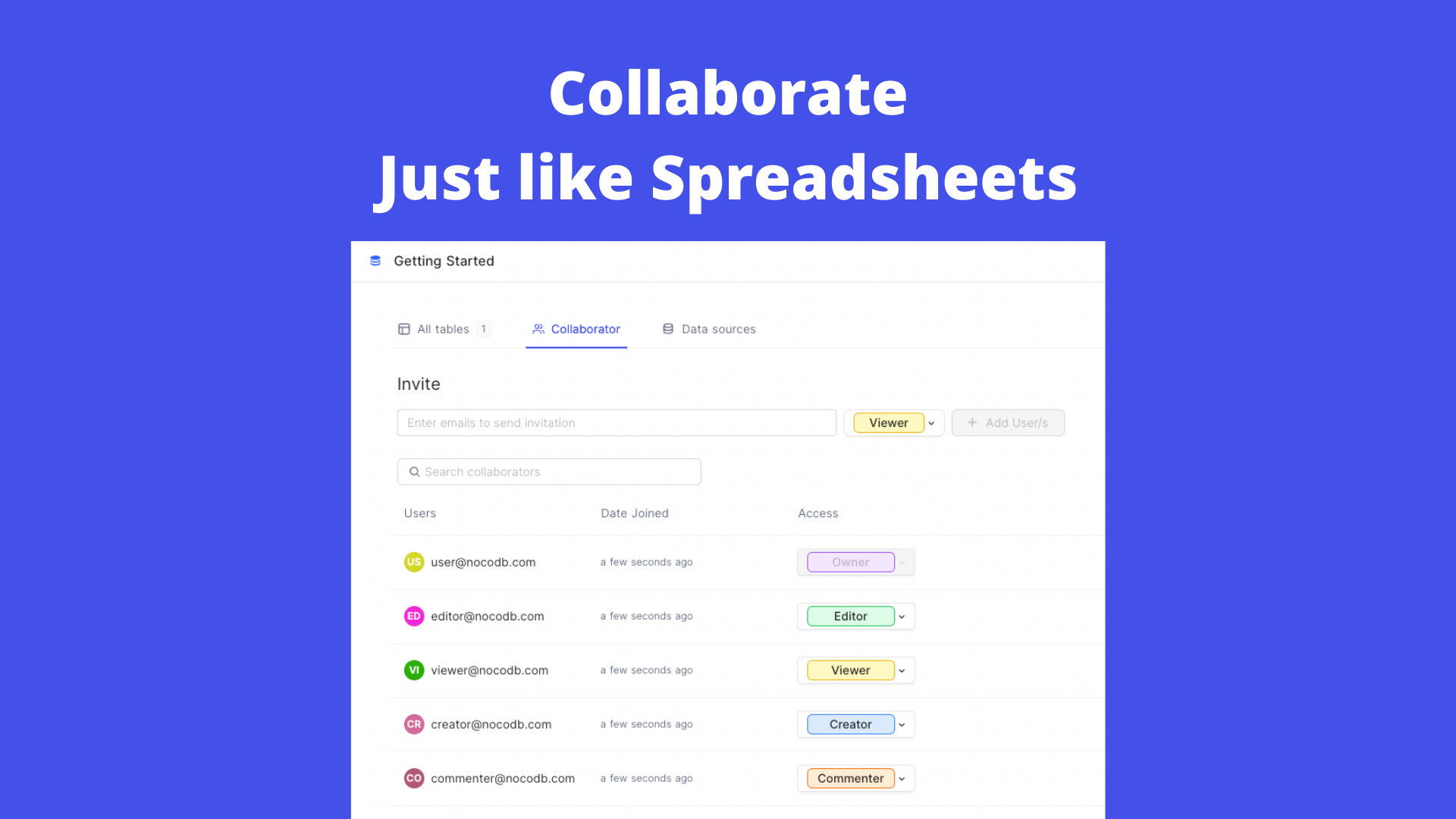
- ⚡ Access Control with Roles: Fine-grained Access Control at different levels
|
|
- ⚡ and more ...
|
|
|
|
### App Store for Workflow Automations
|
|
|
|
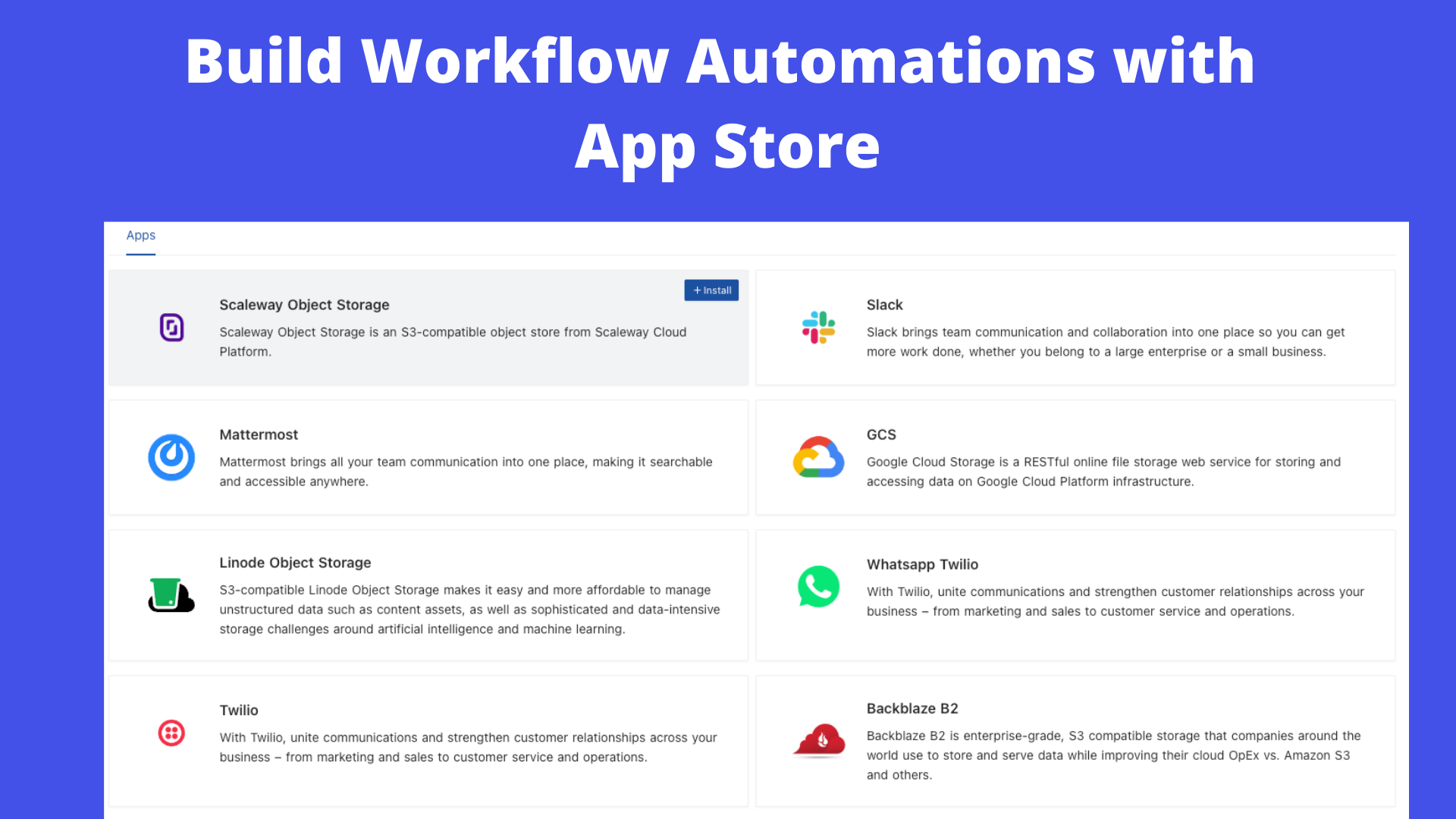
We provide different integrations in three main categories. See <a href="https://docs.nocodb.com/account-settings/oss-specific-details/#app-store" target="_blank">App Store</a> for details.
|
|
|
|
- ⚡ Chat: Slack, Discord, Mattermost, and etc
|
|
- ⚡ Email: AWS SES, SMTP, MailerSend, and etc
|
|
- ⚡ Storage: AWS S3, Google Cloud Storage, Minio, and etc
|
|
|
|
### Programmatic Access
|
|
|
|
We provide the following ways to let users programmatically invoke actions. You can use a token (either JWT or Social Auth) to sign your requests for authorization to NocoDB.
|
|
|
|
- ⚡ REST APIs
|
|
- ⚡ NocoDB SDK
|
|
|
|
### Sync Schema
|
|
|
|
We allow you to sync schema changes if you have made changes outside NocoDB GUI. However, it has to be noted then you will have to bring your own schema migrations for moving from one environment to another. See <a href="https://docs.nocodb.com/data-sources/sync-with-data-source" target="_blank">Sync Schema</a> for details.
|
|
|
|
### Audit
|
|
|
|
We are keeping all the user operation logs in one place. See <a href="https://docs.nocodb.com/data-sources/actions-on-data-sources/#audit-logs" target="_blank">Audit</a> for details.
|
|
|
|
## Environment variables
|
|
|
|
Please refer to the [Environment variables](https://docs.nocodb.com/getting-started/self-hosted/environment-variables)
|
|
|
|
# Contributing
|
|
|
|
Please refer to [Contribution Guide](https://github.com/nocodb/nocodb/blob/master/.github/CONTRIBUTING.md).
|
|
|
|
# Why are we building this?
|
|
|
|
Most internet businesses equip themselves with either spreadsheet or a database to solve their business needs. Spreadsheets are used by Billion+ humans collaboratively every single day. However, we are way off working at similar speeds on databases which are way more powerful tools when it comes to computing. Attempts to solve this with SaaS offerings have meant horrible access controls, vendor lock-in, data lock-in, abrupt price changes & most importantly a glass ceiling on what's possible in the future.
|
|
|
|
# Our Mission
|
|
|
|
Our mission is to provide the most powerful no-code interface for databases that is open source to every single internet business in the world. This would not only democratise access to a powerful computing tool but also bring forth a billion+ people who will have radical tinkering-and-building abilities on the internet.
|
|
|
|
# License
|
|
|
|
<p>
|
|
This project is licensed under <a href="./LICENSE">AGPLv3</a>.
|
|
</p>
|
|
|
|
# Join Our Team
|
|
|
|
<p align=""><a href="http://careers.nocodb.com" target="_blank"><img src="https://user-images.githubusercontent.com/61551451/169663818-45643495-e95b-48e2-be13-01d6a77dc2fd.png" width="250"/></a></p>
|
|
|
|
# Join Our Community
|
|
|
|
<a href="https://discord.gg/5RgZmkW" target="_blank">
|
|
<img src="https://discordapp.com/api/guilds/661905455894888490/widget.png?style=banner3" alt="">
|
|
</a>
|
|
|
|
[](https://github.com/nocodb/nocodb/stargazers)
|
|
|
|
|
|
# Contributors
|
|
|
|
Thank you for your contributions! We appreciate all the contributions from the community.
|
|
|
|
<a href="https://github.com/nocodb/nocodb/graphs/contributors">
|
|
<img src="https://contrib.rocks/image?repo=nocodb/nocodb" />
|
|
</a> |