mirror of
https://github.com/nocodb/nocodb.git
synced 2026-04-29 12:46:49 +00:00

91 lines
2.9 KiB
Markdown
91 lines
2.9 KiB
Markdown
---
|
|
title: 'Dashboard'
|
|
description: 'Dashboard'
|
|
position: 500
|
|
category: 'Product'
|
|
menuTitle: 'Dashboard'
|
|
---
|
|
|
|
<announcement></announcement>
|
|
|
|
## Setup your first super admin
|
|
|
|
Once you have started NocoDB, you can visit the dashboard via `example.com/dashboard`.
|
|
|
|
Click `Let's Begin` button to sign up.
|
|
<img src="https://user-images.githubusercontent.com/35857179/126597128-f88df6e5-7625-4208-9817-68e9303410ff.png" width="75%"/>
|
|
|
|
|
|
Enter your work email and your password.
|
|
|
|
<alert>
|
|
Your password has at least 8 letters with one uppercase, one number and one special letter
|
|
</alert>
|
|
|
|
<img src="https://user-images.githubusercontent.com/35857179/126597144-0343b5ca-c7ca-47a4-926d-4e8df2f8c161.png" width="60%"/>
|
|
|
|
If you start your application without specifying `NC_DB`. A local SQLite will be created in root folder. Your data will be stored there.
|
|
|
|
If you are using Docker, it is recommended to mount `/usr/app/data/` for persistent volume (since `v0.10.6`), otherwise your data will be lost after recreating the container.
|
|
|
|
Example:
|
|
|
|
```
|
|
docker run -d -p 8080:8080 --name nocodb -v /local/path:/usr/app/data/ nocodb/nocodb:latest
|
|
```
|
|
|
|
## Initialize your first project
|
|
|
|
Once you have logged into NocoDB, you should see `My Projects`.
|
|
|
|

|
|
|
|
To create a project, you can click `New Project`.
|
|
|
|
|
|
<img src="https://user-images.githubusercontent.com/86527202/144373314-9146e855-0791-4815-a03f-303e5ffb2a63.png" width="60%"/>
|
|
|
|
|
|
### Creating empty project
|
|
|
|
Click `Create`, you need to specify the project name and API type. A local SQLite will be used.
|
|
<img src="https://user-images.githubusercontent.com/35857179/126597259-b9552c71-d13b-463c-abc2-0f3be31627b2.png" width="60%"/>
|
|
|
|
|
|
### Connecting to external database
|
|
|
|
Click `Create By Connecting To An external Datbase`, you need to specify the project name, API type, and other database parameters.
|
|
|
|

|
|
|
|
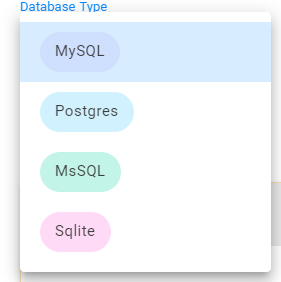
Currently it supports MySQL, Postgres, MSSQL and SQLite.
|
|
|
|
|
|
|
|
You can also configure associated SSL & advanced parameters.
|
|
|
|

|
|
|
|
Click `Test Database Connection` to see if the connection can be established or not.
|
|
|
|
> NocoDB create's a new **empty database** with specified parameters, if the database doesn't exist.
|
|
|
|
### Creating project from Excel
|
|
|
|
Click `Create Project from Excel`, you can either upload/ drag and drop Excel file (OR) specify Excel file URL
|
|
|
|
|
|
<img src="https://user-images.githubusercontent.com/86527202/144373863-7ced9315-a70b-4746-9295-325e463dc110.png" width="60%"/>
|
|
|
|
|
|
Supported file formats
|
|
|
|
- Xls
|
|
- Xlsx
|
|
- Xlsm
|
|
- Ods
|
|
- Ots
|
|
|
|
A local SQLite will be used.
|
|
|