mirror of
https://github.com/nocodb/nocodb.git
synced 2026-04-29 14:06:45 +00:00

75 lines
2.0 KiB
Markdown
75 lines
2.0 KiB
Markdown
---
|
||
title: "Rollup"
|
||
description: "Rollup"
|
||
position: 560
|
||
category: "Product"
|
||
menuTitle: "Rollup"
|
||
---
|
||
|
||
<announcement></announcement>
|
||
|
||
## Rollup
|
||
|
||
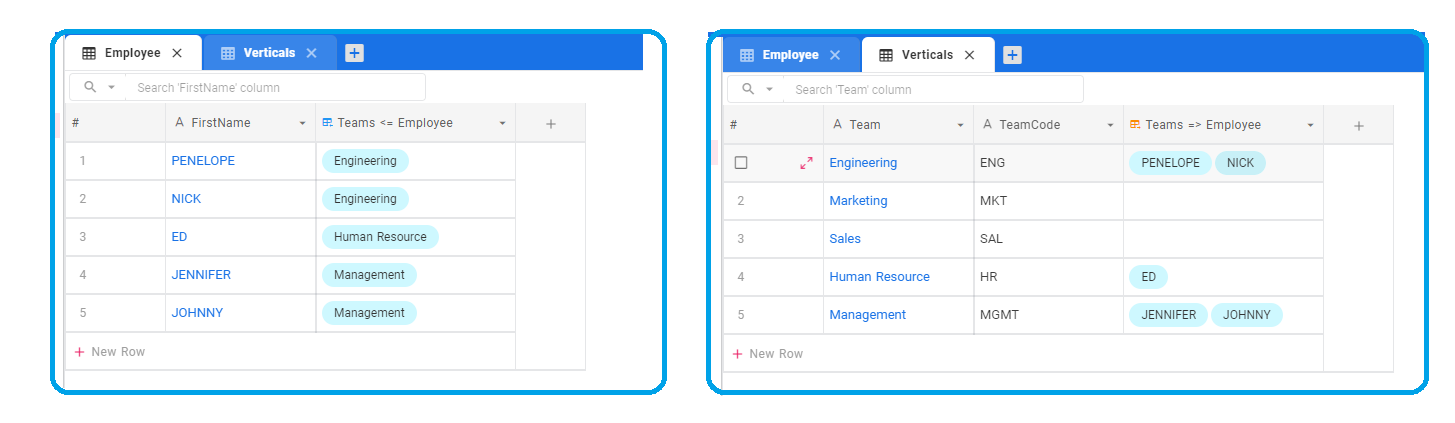
Sample simple Organization structure:
|
||
|
||
- 5 verticals, each vertical has a team name & associated team code
|
||
- 5 employees working at different verticals
|
||
- Vertical **has many** Employees : relationship has been defined
|
||
|
||
|
||
|
||
### RollUp AGGREGATION functions supported
|
||
|
||
- Count
|
||
- Minimum
|
||
- Maximum
|
||
- Average
|
||
- Sum
|
||
- Count Distinct
|
||
- Sum Distinct
|
||
- Average Distinct
|
||
|
||
Now, we can explore how to extract employee count information per vertical using **"ROLLUP"** columns
|
||
|
||
## Adding a rollup column
|
||
|
||
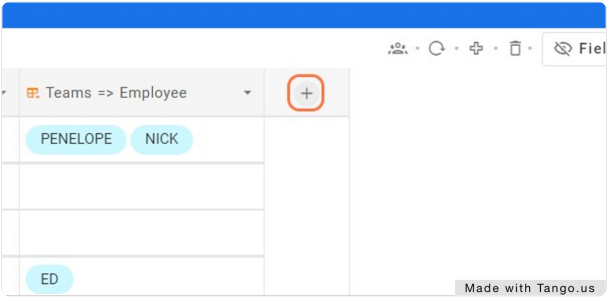
### 1. Add new column
|
||
|
||
Click on '+' icon to the left of column headers in Verticals table
|
||
|
||
|
||
|
||
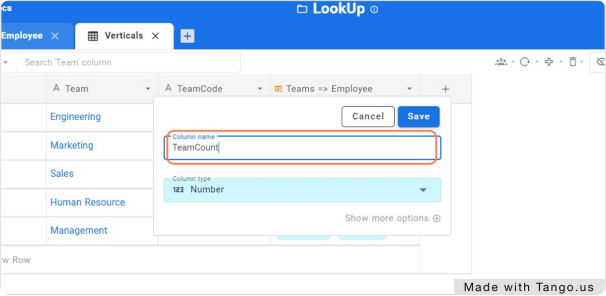
### 2. Feed column name
|
||
|
||
|
||
|
||
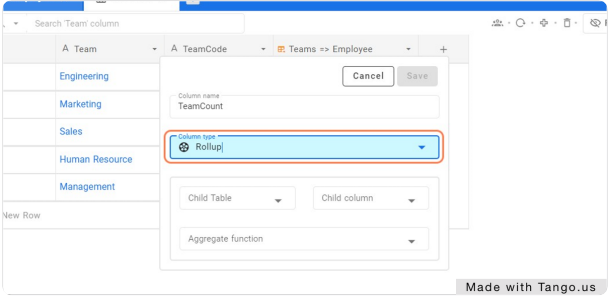
### 3. Select Column type as 'Rollup'
|
||
|
||
|
||
|
||
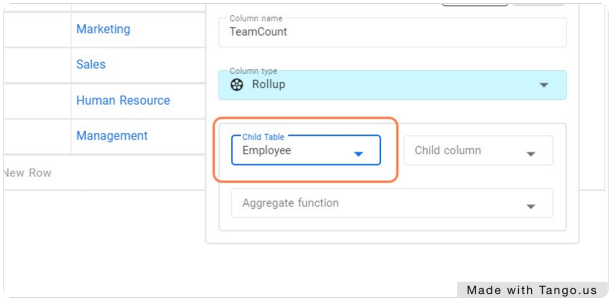
### 4. Choose Child Table
|
||
|
||
Table Employee in our example
|
||
|
||
|
||
|
||
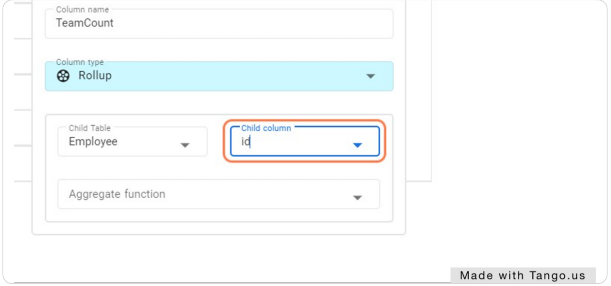
### 5. Choose on Child column
|
||
|
||
Pick appropriate column for aggreagation
|
||
|
||
|
||
|
||
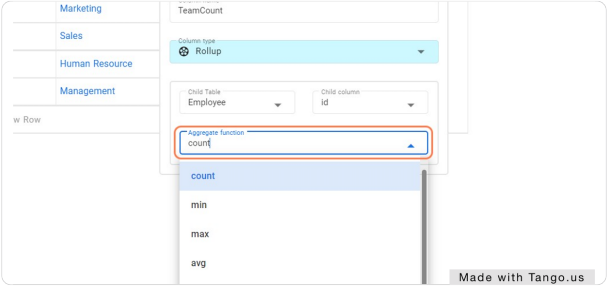
### 6. Select Aggregate function
|
||
|
||
Aggregate function will be "count" in our case
|
||
|
||
|
||
|
||
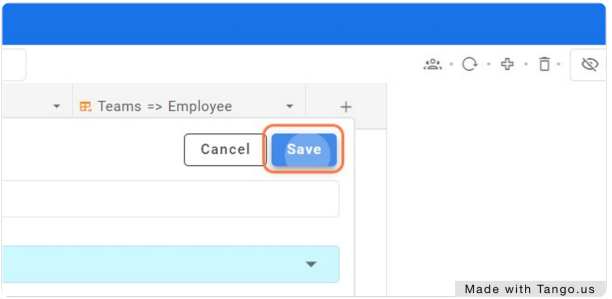
### 7. Click on Save
|
||
|
||
|
||
|
||
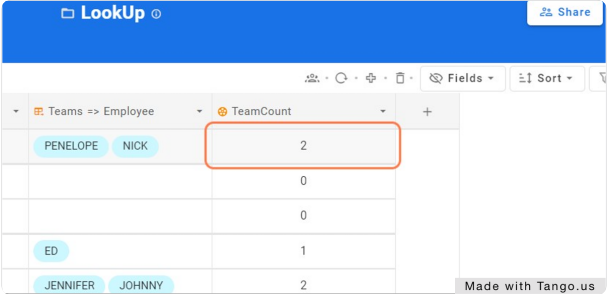
### 8. Column TeamCount is populated with appropriate information
|
||
|
||
|